
Education
d2l learning 101: Essential Strategies to Boost Student Engagement


Getting students to click around and then actually learn can feel like a puzzle. With d2l learning tools you can set up paths, chats and quizzes that speak to each person. You can also slip in videos or let them work offline on their phone. It’s not perfect, but a few changes can get more of them paying attention. Here’s a quick look at what works.
Key Takeaways
- Use adaptive modules to let students go at their own pace and set up rules to release new content when they show they are ready.
- Start discussions with a fun question, ask students to give each other feedback, and keep a simple guide so things don’t go off track.
- Build low-stakes quizzes, turn on auto-grading, and check the results page to see which topics need a redo.
- Drop in short videos, record a quick audio clip, or add a simple simulation to break up wall-to-wall text.
- Make sure your course layout fits phones and tablets, point out app tools, and load a few lessons so students can work offline.
Harnessing Personalized Learning Paths In D2L Learning
D2L Learning offers some cool ways to make learning more personal for each student. It’s not just about throwing information at everyone and hoping it sticks. It’s about tailoring the experience to fit individual needs and paces. Let’s look at how you can do that.
Designing Adaptive Modules
Adaptive modules are where it’s at if you want to give students a learning experience that changes based on how they’re doing. Think of it like a choose-your-own-adventure, but for education. You can set up modules that unlock different content depending on quiz scores or how long a student spends on a particular topic. If someone aces the first quiz, they can skip ahead. If they struggle, they get extra resources and practice. It’s all about meeting them where they are. This is a great way to use instructional tools to enhance the learning experience.
Tracking Competency Mastery
It’s important to know what your students are actually learning. D2L lets you track competency mastery, which means you can see how well students are grasping specific skills or knowledge areas. You can set up learning objectives and then monitor student progress toward those objectives. This gives you data to see where students are excelling and where they need more support. Plus, students can see their own progress, which can be a big motivator. Here’s a simple way to think about it:
- Define the key competencies for your course.
- Create assessments that measure those competencies.
- Use D2L’s tools to track student performance on those assessments.
- Provide targeted feedback based on the data.
Implementing Conditional Content Release
Conditional content release is another way to personalize the learning path. This feature lets you release content based on certain conditions, like a student completing a previous module or achieving a certain score on an assignment. This ensures that students are ready for the next level of material before they move on. It also helps prevent them from getting overwhelmed by too much information at once. It’s like building a staircase, one step at a time. This is a great way to support happy development in your students. Here are some examples of conditions you might use:
- Completion of a previous module
- A minimum score on a quiz
- Participation in a discussion forum
- A specific date or time
Fostering Collaborative Discussions With D2L Learning Tools
Online learning can sometimes feel isolating, but D2L offers some cool tools to get students talking and learning from each other. It’s not just about throwing up a forum and hoping for the best, though. You gotta put some thought into it.
Crafting Engaging Discussion Prompts
Let’s be real, nobody wants to answer a boring question. The key is to create prompts that spark curiosity and encourage different viewpoints. Think about using real-world scenarios, case studies, or even controversial statements to get the ball rolling. Instead of asking "What did you think of Chapter 3?", try something like, "If you were in this character’s shoes, what would you do differently and why?". Make it personal, make it relevant, and watch the discussion come alive. Also, consider incorporating multimedia elements into your prompts, like short videos or images, to add another layer of engagement. You can also use D2L’s release conditions to tailor prompts based on student performance or prior knowledge.
Facilitating Peer Feedback Cycles
Peer feedback can be super helpful, but only if it’s done right. It’s not enough to just tell students to "read and comment" on each other’s work. You need to give them a structure and some guidelines. Here’s what I suggest:
- Provide a rubric: This gives students a clear understanding of what to look for and how to provide constructive criticism. A rubric ensures feedback is focused and relevant.
- Model good feedback: Show examples of what effective feedback looks like. This helps students understand the difference between helpful and unhelpful comments.
- Require specific actions: Instead of just saying "good job," ask students to identify a specific strength or area for improvement. This encourages deeper engagement with the material.
- Use D2L’s assignment tool: This allows you to easily track who has provided feedback and who has received it. It also helps you manage the process and ensure everyone is participating.
Moderating Community Guidelines
Online discussions can sometimes get out of hand if there aren’t clear rules in place. It’s important to establish community guidelines from the start and to actively moderate the discussions. Here are some things to keep in mind:
- Set clear expectations: Outline what is considered acceptable and unacceptable behavior. This includes things like respectful language, constructive criticism, and avoiding personal attacks.
- Enforce the guidelines: If someone violates the guidelines, take action. This could involve removing their post, issuing a warning, or even removing them from the discussion. D2L’s discussion settings allow you to moderate posts before they are visible to others, giving you more control over the conversation. You can also use D2L’s intelligent agents to automatically flag posts that contain certain keywords or phrases.
- Be present: Regularly check in on the discussions and participate when appropriate. This shows students that you are engaged and that you care about the community. Consider using D2L’s statistical tools to track student participation and identify potential issues early on.
By implementing these strategies, you can transform your D2L course into a vibrant and collaborative learning environment. It takes some effort, but the results are worth it!
Maximizing Interactive Assessments Through D2L Learning Platforms
Let’s face it, assessments don’t have to be a drag. With D2L, you can actually make them engaging and useful for both you and your students. Interactive assessments can significantly boost student participation and provide real-time insights into their understanding. It’s all about using the tools available to create something more than just another test.
Creating Low-Stakes Quizzes
Think of these as practice rounds. Low-stakes quizzes are perfect for helping students gauge their understanding without the pressure of a major grade. They can be used:
- As pre-lecture assessments to see what students already know.
- As post-lecture reviews to reinforce key concepts.
- To encourage regular engagement with the course material.
These quizzes should be easy to access and provide immediate feedback. Consider using a variety of question types to keep things interesting. You can even release quizzes conditionally, based on content access, to ensure students are prepared.
Leveraging Auto-Grading Features
Time is precious, and auto-grading is a lifesaver. D2L’s auto-grading features can handle a wide range of question types, freeing you up to focus on more complex tasks like providing personalized feedback. Here’s how to make the most of it:
- Use multiple-choice, true/false, and matching questions for quick assessments.
- Set up answer keys and point values in advance to streamline the process.
- Review auto-graded results to identify areas where students struggled.
Analyzing Student Performance Data
Data is your friend. D2L provides a wealth of information about student performance, allowing you to identify trends and adjust your teaching accordingly. Here’s what to look for:
- Overall class performance on quizzes and assignments.
- Individual student progress and areas of concern.
- Commonly missed questions or topics that need further clarification.
Use this data to inform your lectures, create targeted review sessions, and provide personalized support to students who are struggling. You can even use the data to refine your assessment strategies for future courses. Think of it as a feedback loop that helps you improve your teaching and your students’ learning.
Elevating Content Delivery Through Multimedia Integration
Let’s face it, walls of text can be a real snooze-fest. Students are more engaged when content is dynamic and visually appealing. That’s where multimedia comes in! D2L provides several ways to spice up your course materials and keep learners interested. It’s not just about making things look pretty; it’s about making the information more accessible and easier to understand. Think about how different people learn – some are visual learners, others prefer audio, and some learn best by doing. Multimedia integration lets you cater to all those different styles.
Embedding Video Lectures
Instead of just posting lecture notes, why not record a video? It doesn’t have to be fancy! A simple screen recording with your voiceover can do wonders. Video lectures add a personal touch and allow students to learn at their own pace. You can pause, rewind, and rewatch as needed. Plus, it’s a great way to explain complex concepts visually. Consider using Panopto’s D2L Brightspace integration for easy video management.
Incorporating Audio Narrations
Sometimes, a quick audio explanation is all you need. Think about adding audio narrations to your presentations or documents. This is especially helpful for students who are on the go or have visual impairments. It’s also a great way to add extra context or insights that might not be obvious from the text alone. I’ve found that students really appreciate the effort, and it can make a big difference in their understanding. Just make sure the audio is clear and easy to follow!
Utilizing Interactive Simulations
Want to take things to the next level? Interactive simulations are where it’s at! These can range from simple drag-and-drop activities to complex virtual environments. The key is to make them relevant to the course material and engaging for the students. Simulations allow students to actively participate in the learning process, experiment with different scenarios, and see the results in real-time. It’s a fantastic way to reinforce concepts and promote deeper understanding. Here’s a few ideas:
- Virtual labs for science courses
- Business simulations for management courses
- Historical simulations for history courses
Strengthening Instructor Presence Using D2L Learning Features
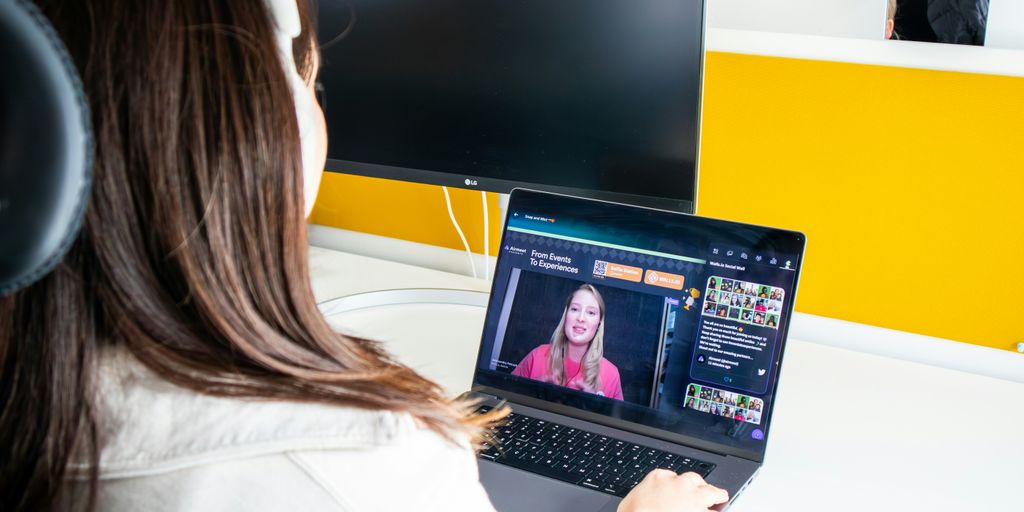
It’s easy to think online learning means a less personal experience, but that doesn’t have to be the case! D2L offers a bunch of tools to help you maintain a strong instructor presence, making students feel more connected and supported. It’s all about finding ways to be visible, approachable, and engaged in the learning process.
Scheduling Live Virtual Sessions
Think of live sessions as your virtual classroom. They’re a great way to connect with students in real-time, answer questions, and foster a sense of community. Here’s what I do:
- Plan interactive activities: Don’t just lecture! Use polls, Q&A sessions, and breakout groups to keep students involved. Brightspace integrates live sessions seamlessly, so you can easily share content and collaborate.
- Record sessions for later viewing: Not everyone can make it to the live session, so recording it ensures everyone has access to the information.
- Promote sessions actively: Send out reminders and highlight the benefits of attending live. I usually send an announcement a week before, then another one the day before.
Delivering Personalized Video Feedback
Written feedback is good, but video feedback? That’s next level. It adds a personal touch that can really make a difference. I’ve found it’s especially helpful for complex assignments where students need more detailed explanations. Here’s my approach:
- Use video notes: D2L has a built-in video note feature that makes it super easy to record and share feedback. It’s quick and convenient.
- Focus on specific areas for improvement: Don’t just say "good job." Point out specific strengths and weaknesses.
- Keep it concise: Aim for short, focused videos (2-3 minutes max). Students are more likely to watch them if they’re not too long.
Managing Real-Time Announcements
Announcements are your way to keep students informed about important updates, deadlines, and changes to the course. But they can be more than just informational; they can also be a way to show you’re present and engaged. Here’s how I use them:
- Use personalized text: You can use replace strings to add each student’s name to announcements. It’s a small touch that makes a big difference. For example, "Hi {FirstName}, don’t forget about the quiz!"
- Share relevant resources: If you come across an interesting article or video that relates to the course, share it with your students. It shows you’re thinking about them and their learning.
- Be responsive to questions: If students reply to your announcements with questions, answer them promptly. It shows you’re paying attention and care about their concerns.
Encouraging Reflective Practice With Built-In Survey Tools
It’s easy to overlook the power of reflection in learning. D2L offers some simple tools to help students think about what they’re learning and how they’re learning it. This isn’t just about getting feedback; it’s about helping students become more aware of their own learning process. Using built-in survey tools can be a game-changer for student engagement and self-awareness.
Designing Guided Reflection Prompts
Instead of just asking
Optimizing Mobile Accessibility For D2L Learning Users

It’s 2025, and let’s be real, everyone’s on their phones. If your D2L course isn’t mobile-friendly, you’re losing a big chunk of your students. Making your course accessible on mobile devices isn’t just a nice thing to do; it’s a necessity for student engagement and success. Think about students commuting, working part-time, or just preferring to study on their phones or tablets. You need to meet them where they are.
Ensuring Responsive Course Design
Responsive design is key. It means your course content automatically adjusts to fit different screen sizes. Here’s what to keep in mind:
- Use D2L’s built-in tools to create content that adapts to various devices. Avoid fixed-width layouts that look terrible on smaller screens.
- Test your course on different devices (phones, tablets, laptops) to see how it looks and functions. What looks great on your desktop might be a mess on a phone.
- Optimize images and videos for mobile viewing. Large files can eat up data and load slowly, frustrating students. Consider using smaller file sizes or adaptive streaming.
Utilizing the Mobile App Features
D2L has a mobile app, Pulse, and you should encourage your students to use it. It offers several features that can enhance the mobile learning experience:
- Push notifications for announcements, grades, and deadlines. This keeps students informed and engaged, even when they’re not actively logged into the course on a computer. Make sure you’re using the Brightspace user profile to set up notifications correctly.
- Offline content access. Students can download course materials and access them even without an internet connection. This is great for students with limited data or unreliable internet.
- Mobile-friendly discussion boards and assignment submissions. The app makes it easy for students to participate in discussions and submit assignments from their phones.
Providing Offline Learning Options
Not everything requires a constant internet connection. Offering offline options can significantly improve accessibility:
- Allow students to download readings, lecture notes, and other resources for offline viewing. D2L makes it easy to provide downloadable files.
- Design activities that can be completed offline, such as reflective writing prompts or brainstorming exercises. Students can then upload their work when they have internet access.
- Consider creating audio versions of lectures or readings for students to listen to offline. This can be especially helpful for students with visual impairments or those who prefer auditory learning.
# Conclusion
We’ve walked through a handful of simple tricks you can try right now in D2L to make your course feel more alive. From quick polls and small-group chats to bite-sized feedback, these moves don’t need a ton of tech skills or endless prep time. Pick one or two that seem interesting, give them a whirl, and watch how your students react. Note what sticks and what falls flat, then tweak as you go. It won’t all work perfectly at first, but that’s okay—think of it like tinkering with a recipe until it’s just right. Before you know it, your online class will feel less like a to-do list and more like a place people actually want to be. Good luck, and happy teaching!




Prosecutors Say Jason Finkelstein Spent 11 Seconds Reviewing Cardiac Images Before Clearing a Teenage Athlete

Prosecutors Say Jason Finkelstein Spent 11 Seconds Reviewing Cardiac Images Before Clearing a Teenage Athlete
Prosecutors Say Jason Finkelstein Spent 11 Seconds Reviewing Cardiac Images Before Clearing a Teenage Athlete
Prosecutors Say Jason Finkelstein Spent 11 Seconds Reviewing Cardiac Images Before Clearing a Teenage Athlete

Prosecutors Say Jason Finkelstein Spent 11 Seconds Reviewing Cardiac Images Before Clearing a Teenage Athlete
Prosecutors Say Jason Finkelstein Spent 11 Seconds Reviewing Cardiac Images Before Clearing a Teenage Athlete

Prosecutors Say Jason Finkelstein Spent 11 Seconds Reviewing Cardiac Images Before Clearing a Teenage Athlete
Prosecutors Say Jason Finkelstein Spent 11 Seconds Reviewing Cardiac Images Before Clearing a Teenage Athlete
Prosecutors Say Jason Finkelstein Spent 11 Seconds Reviewing Cardiac Images Before Clearing a Teenage Athlete

Prosecutors Say Jason Finkelstein Spent 11 Seconds Reviewing Cardiac Images Before Clearing a Teenage Athlete
Prosecutors Say Jason Finkelstein Spent 11 Seconds Reviewing Cardiac Images Before Clearing a Teenage Athlete
Prosecutors Say Jason Finkelstein Spent 11 Seconds Reviewing Cardiac Images Before Clearing a Teenage Athlete
Prosecutors Say Jason Finkelstein Spent 11 Seconds Reviewing Cardiac Images Before Clearing a Teenage Athlete

Prosecutors Say Jason Finkelstein Spent 11 Seconds Reviewing Cardiac Images Before Clearing a Teenage Athlete
Prosecutors Say Jason Finkelstein Spent 11 Seconds Reviewing Cardiac Images Before Clearing a Teenage Athlete

-
Alternative Energy5 days ago
Brian Rowan’s Possible Defense: No Intent, No Control, No Fraud, Just Sales
-
Alternative Energy5 days ago
Federal Grand Jury Indicts Oren Shachar in Hospice Fraud Case
-
Business4 days ago
How Darrell Seale Builds High-Performing Teams Through Service-Based Leadership
-
Education4 days ago
Daniel Cullen Delafield on Bridging Executive Leadership and Skilled Trades Development
-

 News2 days ago
Prosecutors Say Jason Finkelstein Spent 11 Seconds Reviewing Cardiac Images Before Clearing a Teenage Athlete
-
News2 days ago
Prosecutors Say Jason Finkelstein Spent 11 Seconds Reviewing Cardiac Images Before Clearing a Teenage Athlete
-
News2 days ago
Prosecutors Say Jason Finkelstein Spent 11 Seconds Reviewing Cardiac Images Before Clearing a Teenage Athlete
-
News2 days ago
Prosecutors Say Jason Finkelstein Spent 11 Seconds Reviewing Cardiac Images Before Clearing a Teenage Athlete