
Tech News
Unleashing Potential: A Deep Dive into the Acer Aspire 5


So, you’re looking at a new laptop, huh? The Acer Aspire 5 often pops up, and for good reason. It’s a popular choice for a lot of people, especially if you’re trying to get a decent machine without spending a ton of money. This article is going to dig into what makes the Acer Aspire 5 tick. We’ll look at its guts, how it looks, what it’s like to actually use, and whether it’s a good fit for you. Basically, we’re going to see if this laptop lives up to the hype and if it’s the right fit for your daily computer needs.
Key Takeaways
- The Acer Aspire 5 handles everyday tasks well, but might struggle with really tough programs.
- Its screen looks good, but it’s not super bright, which can be an issue in sunny spots.
- The keyboard is comfortable for typing, and the trackpad works better than some others in this price range.
- It has a good selection of ports, including a useful USB-C, which is a big plus.
- Storage can be tight out of the box, but you can usually add more later if you need it.
Performance Prowess of the Acer Aspire 5
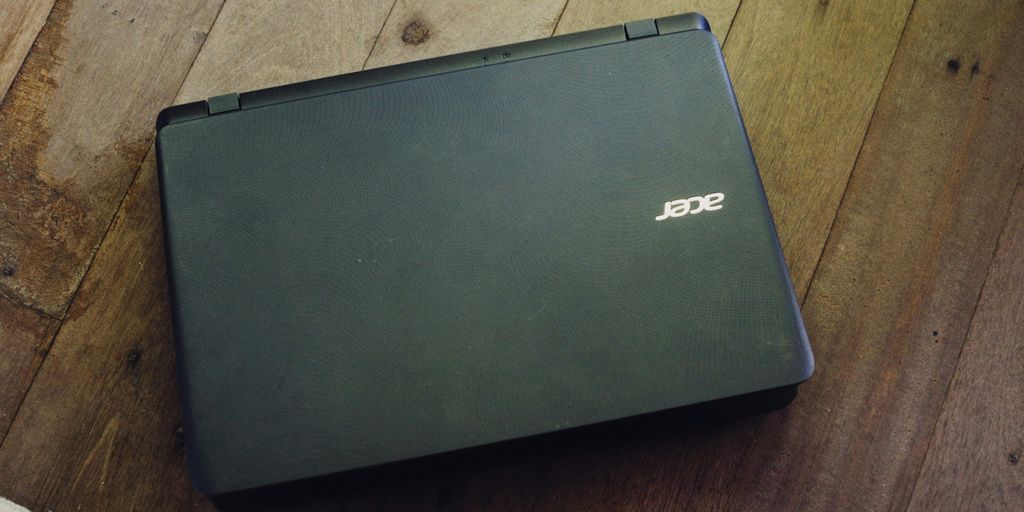
Everyday Computing Capabilities
The Acer Aspire 5 is built for handling your daily digital grind. It’s more than capable of tackling tasks like web browsing, email, document creation, and streaming videos. The processor and memory work together to provide a smooth, responsive experience for typical home and office use. You won’t be waiting around for apps to load or struggling with multiple browser tabs open at once. It’s designed to keep up with your pace, whether you’re a student, a professional, or just someone who needs a reliable computer for everyday tasks.
Handling Demanding Workloads
While the Aspire 5 shines in everyday use, it can also handle more demanding workloads. Don’t expect it to replace a high-end workstation, but it’s surprisingly capable. Here’s what you can expect:
- Photo Editing: Light photo editing is definitely doable. Expect longer processing times for large batches or complex edits.
- Video Editing: Basic video editing is possible, but stick to shorter projects and lower resolutions. Rendering times will be longer compared to more powerful machines.
- Programming: Compiling code and running development environments are within its capabilities, especially for smaller projects. The Ryzen 3 7320U APU handles these tasks surprisingly well.
- Multitasking: The Aspire 5 handles multitasking reasonably well, allowing you to switch between applications without significant slowdowns. However, avoid running too many resource-intensive programs simultaneously.
Comparing Against Competitors
When stacked against other laptops in its price range, the Acer Aspire 5 often comes out on top in terms of performance. Many competitors rely on less powerful processors, which can lead to noticeable lag and slowdowns. The Aspire 5’s combination of processor, memory, and storage provides a better overall experience. Here’s a quick comparison:
| Feature | Acer Aspire 5 | Competitor A | Competitor B |
|---|---|---|---|
| Processor | AMD Ryzen 3 | Intel Pentium | Intel Celeron |
| RAM | 8GB | 4GB | 4GB |
| Storage | 256GB SSD | 128GB SSD | 64GB eMMC |
| Price (approx.) | $400 | $350 | $300 |
As you can see, the Aspire 5 offers a better balance of performance and features for the price. While you might save a bit of money with a competitor, you’ll likely sacrifice performance and overall productivity in the long run.
Visuals and Aesthetics of the Acer Aspire 5

Display Quality and IPS Panel Benefits
The Acer Aspire 5 often gets praise for its display, especially considering its price point. The inclusion of an IPS panel is a big deal, because it means better viewing angles and more accurate colors compared to cheaper TN panels. This makes watching videos or just browsing the web a more pleasant experience. It’s one of the features that makes the Acer laptop a good value.
Brightness Considerations
One thing to keep in mind is that the brightness might not be the best, especially if you’re using the laptop outdoors or in a brightly lit room. It’s not terrible, but it’s something to consider if you plan on using it in those kinds of environments regularly. You might find yourself needing to crank up the brightness all the way, which can impact battery life.
Design Language and Portability
The Aspire 5 generally sports a pretty understated design. It’s not flashy, but it’s also not ugly. It’s designed to be functional and portable. It’s slim enough to slip into a backpack without too much trouble, and it’s not too heavy to carry around all day. The build quality is decent for the price, though it’s obviously not going to feel as premium as some higher-end laptops. Here’s a quick rundown:
- Sleek, minimalist design
- Lightweight for easy portability
- Available in various colors to suit your style
User Experience and Input on the Acer Aspire 5
Keyboard Comfort and Features
Okay, so the keyboard on the Acer Aspire 5 is…decent. It’s not going to win any awards, but it gets the job done. The key travel is okay, maybe a little on the shallow side, but you get used to it. I’ve definitely used worse keyboards on laptops in this price range. One thing I appreciate is the inclusion of a backlight, which is super helpful when you’re working in dim lighting. It’s not the brightest backlight ever, but it’s better than nothing. Some users have noted the keys feel a bit mushy, but it’s not a dealbreaker. The inclusion of a number pad is a definite plus for anyone who works with spreadsheets or needs to input numbers frequently.
Trackpad Responsiveness
The trackpad is surprisingly good, actually. It’s smooth and responsive, and I haven’t had any issues with it tracking my movements accurately. It’s definitely better than some of the trackpads I’ve used on more expensive laptops. The size is decent, giving you enough room to move around without feeling cramped. The click is also pretty satisfying, not too loud or too soft. I’d say it’s a solid trackpad for everyday use. Compared to other laptops, the Acer Aspire 5 trackpad is a step up from some budget models.
Overall User Satisfaction
Overall, the user experience on the Acer Aspire 5 is pretty positive. It’s not a perfect laptop, but it offers a good balance of performance, features, and price. Here’s a quick rundown of what people seem to like and dislike:
- Pros:
- Decent keyboard with backlight
- Responsive trackpad
- Good performance for the price
- Cons:
- Keyboard can feel a bit mushy
- Pre-installed software (bloatware) can be annoying
- Display brightness could be better
For most people, the pros outweigh the cons, making it a solid choice for everyday computing. I think the HP Spectre x360 is a better choice, but it’s also more expensive.
Connectivity and Ports on the Acer Aspire 5
Versatile USB-C Functionality
Okay, so the Acer Aspire 5 does have a USB-C port, which is cool. It’s not Thunderbolt, so don’t get too excited, but it’s still useful. You can use it for data transfer, display output, and even charging the laptop itself. It’s a nice touch, especially since some budget laptops skip this altogether. I’ve found it super handy for connecting external hard drives and quickly transferring files. It’s definitely a step up in terms of port versatility compared to older models.
Essential Port Selection
Beyond the USB-C, the Aspire 5 has a decent selection of other ports. You’re getting your standard USB-A ports (usually a mix of USB 3.0 and maybe one USB 2.0), an HDMI port for connecting to a monitor or TV, and a headphone/mic combo jack. Nothing groundbreaking, but it covers the basics. Here’s a quick rundown:
- USB-A 3.0: 2x
- USB-A 2.0: 1x
- HDMI: 1x
- Headphone/Mic Jack: 1x
- Ethernet Port: Usually included, but check the specific model
I mean, it’s not a ton of ports, but it’s enough for most people. I usually have my mouse, keyboard, and an external drive plugged in, and I’m good to go. It’s nice that they didn’t skimp on the essential ports.
Connectivity Advantages
One thing I appreciate about the Aspire 5 is its reliable Wi-Fi. It usually comes with Wi-Fi 6 now, which is pretty fast if you have a compatible router. Bluetooth is also included, so connecting wireless headphones or a mouse is easy. I haven’t had any major issues with dropped connections or slow speeds, which is a big plus. The inclusion of Wi-Fi 6 really helps with internet connectivity, especially when streaming or downloading large files. It’s a solid setup for staying connected.
Storage and Memory Configurations of the Acer Aspire 5
SSD Storage Limitations and Solutions
Okay, so let’s talk about storage. The Acer Aspire 5, depending on the model, can sometimes feel a little tight in the storage department. Some configurations come with a smaller SSD, like 128GB or 256GB. This can fill up quickly if you’re planning on installing a lot of programs or storing large files.
What can you do about it? Well, the good news is that many Aspire 5 models allow for SSD upgrades. You can swap out the original drive for a larger one. Another option is to use external storage. Portable SSDs are pretty affordable these days and offer a fast way to expand your storage without cracking open the laptop. Cloud storage is also an option, but it depends on having a reliable internet connection.
RAM Configuration and Upgradeability
RAM is another important factor. Some Aspire 5 models come with 8GB of RAM, which is okay for basic tasks, but can start to feel limiting if you’re multitasking or running more demanding applications. Other models come with 16GB, which is a much better starting point. The latest Lenovo Gaming Laptop often has a lot of RAM.
Now, here’s the thing: RAM upgradeability varies. Some Aspire 5 models have RAM that’s soldered to the motherboard, meaning you can’t upgrade it. Others have one or two SO-DIMM slots, allowing you to add more RAM. Before you buy, check the specs carefully to see if the RAM is upgradeable and what the maximum supported amount is. For example, some Aspire 5 (i5) models max out at 20GB of RAM.
Memory Performance for Daily Tasks
How does the memory perform in everyday use? With 8GB of RAM, you can generally handle web browsing, email, and basic office tasks without too much trouble. However, if you’re working with large spreadsheets, editing photos, or running multiple applications at the same time, you might experience some slowdowns. Upgrading to 16GB of RAM can make a noticeable difference in responsiveness and overall performance. It really depends on what you’re planning to do with the laptop. If you’re just using it for basic tasks, 8GB might be fine. But if you’re a power user, more RAM is definitely the way to go. The Acer Aspire 5 is a great laptop for productivity and everyday use.
Software Experience and Gaming on the Acer Aspire 5
Managing Pre-installed Software
One thing you’ll notice right away with the Acer Aspire 5 is the pre-installed software. It’s not an overwhelming amount, but there are a few programs that you might consider unnecessary. Think of it like this: it’s like getting a new phone and having a bunch of apps you never asked for. The good news is that most of it can be uninstalled.
- Take some time to go through the list of installed programs.
- Uninstall anything you don’t recognize or plan to use.
- Consider doing a fresh install of Windows to get rid of everything.
Optimizing for Performance
To really get the most out of your Aspire 5, especially if you’re planning on doing anything beyond basic tasks, you’ll want to tweak a few settings. It’s like tuning up a car – a little effort can make a big difference. For example, you can adjust the power settings to favor performance over battery life when plugged in. Also, keeping your drivers updated is key. You can check for updates through Windows Update or directly from the Acer support website.
- Update your graphics drivers.
- Close unnecessary background apps.
- Adjust power settings for optimal performance.
Casual Gaming Capabilities
Let’s be real, the Acer Aspire 5 isn’t a gaming laptop. But that doesn’t mean you can’t have some fun. It’s perfectly capable of handling casual games and older titles. Think Stardew Valley or Minecraft. Don’t expect to run the latest AAA games at high settings, but for less demanding games, it can hold its own. The integrated graphics are surprisingly decent for what they are. You might even be able to get away with playing some older 3D games if you dial down the settings. Just don’t expect a high-end gaming experience.
- Stick to older titles or less demanding games.
- Lower the graphics settings for better performance.
- Don’t expect to play the latest AAA games smoothly.
## 🔟 Conclusion
So, after looking at everything, the Acer Aspire 5 really stands out as a solid choice for a lot of people. It’s got good parts inside, a screen that looks pretty nice, and a keyboard that’s easy to use. Sure, it’s not perfect – no laptop is, especially at this price. You might want to add more storage, and there’s a bit of extra software you’ll probably want to get rid of. But for everyday stuff, like getting work done, browsing the internet, or even playing some simple games, it does a good job. It’s a smart buy if you’re trying to get a decent laptop without spending a ton of money.




Prosecutors Say Jason Finkelstein Spent 11 Seconds Reviewing Cardiac Images Before Clearing a Teenage Athlete

Prosecutors Say Jason Finkelstein Spent 11 Seconds Reviewing Cardiac Images Before Clearing a Teenage Athlete
Prosecutors Say Jason Finkelstein Spent 11 Seconds Reviewing Cardiac Images Before Clearing a Teenage Athlete
Prosecutors Say Jason Finkelstein Spent 11 Seconds Reviewing Cardiac Images Before Clearing a Teenage Athlete

Prosecutors Say Jason Finkelstein Spent 11 Seconds Reviewing Cardiac Images Before Clearing a Teenage Athlete
Prosecutors Say Jason Finkelstein Spent 11 Seconds Reviewing Cardiac Images Before Clearing a Teenage Athlete

Prosecutors Say Jason Finkelstein Spent 11 Seconds Reviewing Cardiac Images Before Clearing a Teenage Athlete
Prosecutors Say Jason Finkelstein Spent 11 Seconds Reviewing Cardiac Images Before Clearing a Teenage Athlete
Prosecutors Say Jason Finkelstein Spent 11 Seconds Reviewing Cardiac Images Before Clearing a Teenage Athlete

Prosecutors Say Jason Finkelstein Spent 11 Seconds Reviewing Cardiac Images Before Clearing a Teenage Athlete
Prosecutors Say Jason Finkelstein Spent 11 Seconds Reviewing Cardiac Images Before Clearing a Teenage Athlete
Prosecutors Say Jason Finkelstein Spent 11 Seconds Reviewing Cardiac Images Before Clearing a Teenage Athlete
Prosecutors Say Jason Finkelstein Spent 11 Seconds Reviewing Cardiac Images Before Clearing a Teenage Athlete

Prosecutors Say Jason Finkelstein Spent 11 Seconds Reviewing Cardiac Images Before Clearing a Teenage Athlete
Prosecutors Say Jason Finkelstein Spent 11 Seconds Reviewing Cardiac Images Before Clearing a Teenage Athlete

-
Alternative Energy5 days ago
Brian Rowan’s Possible Defense: No Intent, No Control, No Fraud, Just Sales
-
Alternative Energy5 days ago
Federal Grand Jury Indicts Oren Shachar in Hospice Fraud Case
-
Business4 days ago
How Darrell Seale Builds High-Performing Teams Through Service-Based Leadership
-
Education4 days ago
Daniel Cullen Delafield on Bridging Executive Leadership and Skilled Trades Development
-

 News2 days ago
Prosecutors Say Jason Finkelstein Spent 11 Seconds Reviewing Cardiac Images Before Clearing a Teenage Athlete
-
News2 days ago
Prosecutors Say Jason Finkelstein Spent 11 Seconds Reviewing Cardiac Images Before Clearing a Teenage Athlete
-
News2 days ago
Prosecutors Say Jason Finkelstein Spent 11 Seconds Reviewing Cardiac Images Before Clearing a Teenage Athlete
-
News2 days ago
Prosecutors Say Jason Finkelstein Spent 11 Seconds Reviewing Cardiac Images Before Clearing a Teenage Athlete