
Tech News
Enhance Your PS4 Experience with the PlayStation Camera


The PlayStation Camera is a cool add-on for your PS4. It does more than just let you see and hear things. This little device brings a bunch of new ways to play and interact with your console. It’s not just for games, either. The playstation camera has some neat tricks for everyday use too, making your PS4 experience a bit smoother and more fun.
Key Takeaways
- The PlayStation Camera lets you log into your PS4 just by showing your face.
- You can use your voice to control your PS4, like starting games or looking through menus.
- The camera helps with motion control in games, making certain games more interactive.
- It works with PlayStation VR, opening up new virtual reality experiences.
- The PlayStation Camera is a step up from older camera accessories, with better tracking and features.
Video Features of the PlayStation Camera
Facial Recognition for Seamless Login
Okay, so the PlayStation Camera has this cool feature where it can recognize your face. I know, it sounds like something out of a spy movie, right? But it’s actually super useful. Instead of typing in your password every time you turn on your PS4, the camera scans your face and logs you in automatically. It’s way faster and more convenient. You just have to set it up once in the settings, making sure the lighting is good and your face is clearly visible. It’s a small thing, but it makes a big difference in everyday use. It’s like, welcome to the future!
Depth Perception and 3D Imaging
This is where things get a little more technical, but stick with me. The PlayStation Camera isn’t just a regular camera; it has depth perception. What does that mean? Well, it can see things in 3D. This is thanks to its dual-camera setup. It’s not just about capturing video; it’s about understanding the space around you. This is important for a couple of reasons:
- Improved Motion Tracking: The camera can more accurately track your movements because it knows how far away you are from the screen.
- Better Augmented Reality: Some games use this to create augmented reality experiences, where virtual objects are overlaid on the real world.
- More Immersive VR: This depth perception is also key for PlayStation VR, making the virtual environments feel more realistic.
It’s all about creating a more immersive and interactive experience. The PlayStation 4 uses this data to make gaming more engaging.
Live Streaming Your Gameplay
Want to show off your mad gaming skills to the world? The PlayStation Camera makes it easy to live stream your gameplay. You can broadcast directly to platforms like Twitch or YouTube. It’s pretty straightforward to set up. You can even add a picture-in-picture view of yourself using the camera, so viewers can see your reactions. It’s a great way to connect with other gamers and build a following. Plus, who doesn’t want to be a gameplay streamer these days?
Voice Capabilities of the PlayStation Camera
So, you’ve got the PlayStation Camera. Cool! Did you know it’s not just for seeing you? It can hear you too! I mean, it’s got a microphone, so yeah, it makes sense. But what can you actually do with your voice and the PS4 Camera? Let’s get into it.
Issuing In-Game Commands
Okay, this is where things get a little futuristic. Imagine you’re playing a game, and instead of fumbling with the controller, you just tell the game what to do. That’s the promise, anyway. Some games let you use voice commands for stuff like changing weapons, giving orders to teammates, or even just navigating menus. It’s not every game, and honestly, it can be a little hit-or-miss depending on how well the game implements it. But when it works, it’s pretty neat. I remember trying it out in one game, and it felt like I was in a sci-fi movie. It’s not perfect, but it’s a fun way to control your PS4.
Navigating Your PS4 Library
Tired of scrolling through endless rows of games and apps? The PlayStation Camera can help with that too. You can use voice commands to search for specific games, browse through categories, or even just open up the PlayStation Store. It’s way faster than using the controller, especially if you know exactly what you’re looking for. Plus, it’s just kind of lazy in a good way. I mean, who doesn’t want to control their entertainment system with their voice? It’s like living in the future, but without the flying cars (yet).
Launching Games with Voice
This is probably the simplest, but also one of the most useful voice features. Just say "PlayStation, [game name]" and boom, the game starts. No more digging through menus or searching for the right icon. It’s super convenient, especially if you’re switching between games a lot. I use this all the time when I’m testing out new games or just jumping back into an old favorite. It’s a small thing, but it makes a big difference in terms of convenience. It’s like having a personal assistant for your gaming needs. I’ve found that the voice recognition is pretty good, but sometimes it misunderstands me if I’m talking too fast or if there’s a lot of background noise. Still, it’s a cool feature to have.
Gaming with the PlayStation Camera
Okay, so you’ve got the PlayStation Camera. What can you actually do with it in games? It’s not just for looking cool while streaming, you know. Let’s get into it.
Enhanced Motion Control in Games
Remember the Wii? Well, the PlayStation Camera brings some of that motion-control magic to the PS4, but with a bit more finesse. Instead of waving a wand around, the camera tracks your movements directly. This can lead to some pretty interesting gameplay experiences. Think about games where you’re dodging obstacles, throwing punches, or even just controlling a character’s actions with your body. It’s not always perfect, but when it works, it’s a blast. I remember trying one game where I had to lean to avoid getting hit by stuff, and I looked ridiculous, but I was laughing the whole time. It’s a different way to play, and it can really get you moving. It’s not going to replace your controller for everything, but it’s a fun alternative.
Utilizing the DualShock 4 Light Bar
Did you know that light bar on your DualShock 4 controller isn’t just for show? The PlayStation Camera can actually track it! This opens up some cool possibilities for games. For example, the camera can tell how far away you are from the screen based on the size of the light bar. Or, it can use the color of the light bar to identify different players in a multiplayer game. It’s a subtle thing, but it can add a lot to the immersion. I’ve seen some games use it to change the color of the in-game environment based on the color of the light bar, which is a neat effect. It’s all about motion capture and how the game uses that data.
Upcoming Game Support for the PlayStation Camera
Alright, let’s be real. The PlayStation Camera isn’t exactly swimming in must-have games that use it to its full potential. But that doesn’t mean there aren’t any, or that there won’t be more in the future. Keep an eye out for games that specifically mention PlayStation Camera support. Sometimes it’s a main feature, other times it’s just a cool little addition. And who knows, maybe some indie developers will come up with some really creative ways to use it. I’m always hoping for some innovative PlayStation games that really take advantage of the camera’s capabilities. You never know what’s coming next!
PlayStation Camera Specifications
Okay, so you’re thinking about getting a PlayStation Camera or maybe you already have one and want to know more? Let’s break down what’s under the hood. It’s more than just a simple webcam, that’s for sure.
Understanding the Dual Camera System
The PlayStation Camera actually uses two cameras working together. It’s not just for show; this setup allows the PS4 to see depth. Each camera can capture video at 1280×800, which is close to 720p. They can do this at 60 frames per second. If you drop the resolution to 640×400, you can get 120fps, and at 320×192, it can even hit 240fps. The lenses are fixed focus, so no manual adjustments here. This black Sony PlayStation PS4 Camera is pretty compact, about 7.32 inches wide, and a little over an inch tall and deep. It weighs around 6 ounces, so it won’t add much weight to your setup.
Optimal Setup for Performance
Getting the best performance from your PlayStation Camera means setting it up right. Here are a few things to keep in mind:
- Lighting: Make sure the room is well-lit, but avoid having bright lights directly behind you. This can mess with the camera’s ability to see you clearly.
- Distance: Sit at a reasonable distance from the camera. About 6 feet is usually a good starting point. Too close, and it might not be able to see your whole body. Too far, and it might have trouble tracking you.
- Placement: Put the camera at about head height. You can use the stand it comes with, or get a separate mount. The goal is to have it looking straight at you.
Calibration and User Profile Data
Once you’ve got the camera set up, you’ll need to calibrate it. This helps the PS4 learn your face and body so it can track you properly. Here’s what to expect:
- Facial Recognition Setup: The PS4 will guide you through the process. It involves scanning your face from different angles.
- Profile Linking: You’ll link the facial recognition data to your PS4 profile. This way, the system knows who you are when it sees you.
- Regular Calibration: It’s a good idea to recalibrate every now and then, especially if you change your setup or lighting. This keeps the tracking accurate.
How the PlayStation Camera Differs from Predecessors
Okay, so you might be wondering how the PlayStation Camera stacks up against Sony’s older camera tech. It’s not just a simple upgrade; there are some pretty big differences.
Evolution from EyeToy
Remember the EyeToy? That was a fun little gadget back in the day. It was pretty basic, though. The EyeToy only had a single camera and microphone, mainly for simple motion tracking and basic voice recording. Think of it as the PlayStation Camera’s great-grandparent. The new camera is way more advanced, with dual lenses for depth perception and better voice processing. It’s like comparing a flip phone to a smartphone.
Improvements Over the Eye Camera
Then came the PlayStation Eye. It was a step up, for sure. It could do some cool stuff with the PlayStation Move controllers, sensing their position and color. But the PlayStation Camera is a whole different beast. It’s smaller, has two cameras built-in, and can sense depth all on its own. Plus, it can track the DualShock 4’s light bar, which is pretty neat. The Eye was good for its time, but the Camera is just more powerful and versatile.
Advanced Tracking Capabilities
What really sets the PlayStation Camera apart is its tracking ability. It’s not just about seeing movement; it’s about understanding depth and space. This opens up a lot of possibilities for games and VR. The dual cameras allow for more precise motion tracking, and the improved microphones can pick up voice commands even in noisy environments. It’s a much more sophisticated system than anything Sony has put out before. It really makes a difference in how immersive the PlayStation 4 experience can be.
PlayStation Camera and Virtual Reality
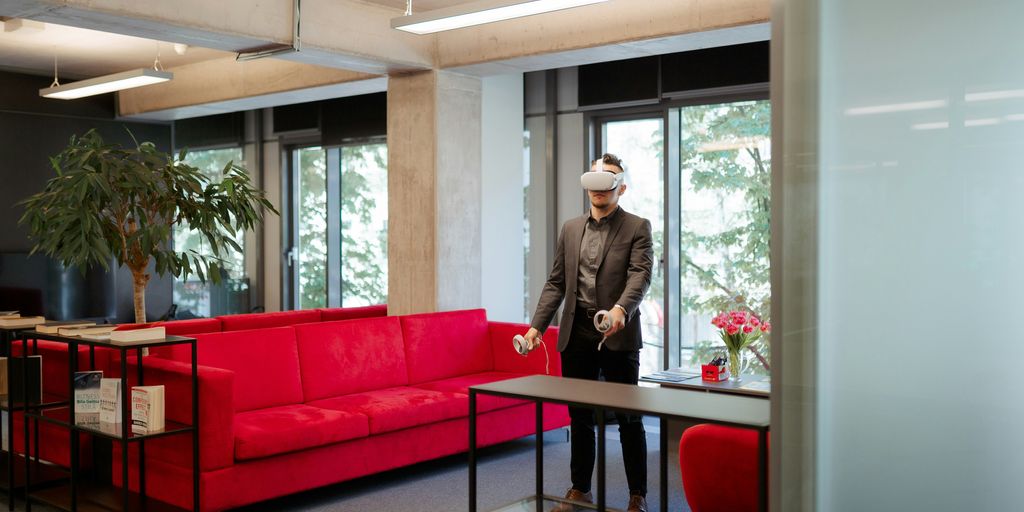
So, you’re thinking about getting into VR with your PS4? The PlayStation Camera is pretty important for that. It’s not just some add-on; it’s actually needed for the whole PlayStation VR experience. Let’s break down what it does.
Entry to PlayStation VR Worlds
The PlayStation Camera is your ticket to VR. Without it, the PSVR headset is basically just a fancy pair of goggles. The camera tracks the headset’s movements, which is how the system knows where you’re looking and how to translate that into the virtual world. It’s like the eyes of the system, watching your every move. It really does help with the immersion. It’s also worth noting that the camera tracks the DualShock 4 controller’s light bar, which is used in some VR games for additional interaction.
Capturing VR Experiences
Want to show your friends how awesome VR is? The PlayStation Camera lets you record your gameplay, and even overlay your own video feed on top of it. This is great for streaming or just sharing funny moments. Imagine seeing yourself flail around while battling a virtual dragon – hilarious! Plus, it’s not just for recording; you can also broadcast live to Twitch or YouTube. It’s a cool way to share the immersive VR experiences with others.
Adaptable Stand for VR Setup
Setting up your VR can be a bit of a hassle, but the PlayStation Camera comes with a stand that makes it easier. You can adjust the angle and position of the camera to get the best tracking. It’s a small thing, but it makes a big difference. No more balancing the camera on top of your TV or trying to tape it in place. The stand is designed to work well with the PSVR setup, so you can get right into gaming without too much fuss. It’s all about making the PlayStation VR setup as smooth as possible.
Conclusion
So, that’s the lowdown on the PlayStation Camera. It’s not just some fancy extra; it really does add a lot to your PS4 setup. From logging in with just your face to chatting with friends while you play, it makes things smoother and more fun. And yeah, for those who like to stream their games, it’s pretty much a must-have. Sure, not every game uses it in a big way, but the features it does offer are pretty neat. If you’re looking to get more out of your PS4, this little camera is definitely worth checking out. It just makes everything a bit more interactive, you know?




Prosecutors Say Jason Finkelstein Spent 11 Seconds Reviewing Cardiac Images Before Clearing a Teenage Athlete

Prosecutors Say Jason Finkelstein Spent 11 Seconds Reviewing Cardiac Images Before Clearing a Teenage Athlete
Prosecutors Say Jason Finkelstein Spent 11 Seconds Reviewing Cardiac Images Before Clearing a Teenage Athlete
Prosecutors Say Jason Finkelstein Spent 11 Seconds Reviewing Cardiac Images Before Clearing a Teenage Athlete

Prosecutors Say Jason Finkelstein Spent 11 Seconds Reviewing Cardiac Images Before Clearing a Teenage Athlete
Prosecutors Say Jason Finkelstein Spent 11 Seconds Reviewing Cardiac Images Before Clearing a Teenage Athlete

Prosecutors Say Jason Finkelstein Spent 11 Seconds Reviewing Cardiac Images Before Clearing a Teenage Athlete
Prosecutors Say Jason Finkelstein Spent 11 Seconds Reviewing Cardiac Images Before Clearing a Teenage Athlete
Prosecutors Say Jason Finkelstein Spent 11 Seconds Reviewing Cardiac Images Before Clearing a Teenage Athlete

Prosecutors Say Jason Finkelstein Spent 11 Seconds Reviewing Cardiac Images Before Clearing a Teenage Athlete
Prosecutors Say Jason Finkelstein Spent 11 Seconds Reviewing Cardiac Images Before Clearing a Teenage Athlete
Prosecutors Say Jason Finkelstein Spent 11 Seconds Reviewing Cardiac Images Before Clearing a Teenage Athlete
Prosecutors Say Jason Finkelstein Spent 11 Seconds Reviewing Cardiac Images Before Clearing a Teenage Athlete

Prosecutors Say Jason Finkelstein Spent 11 Seconds Reviewing Cardiac Images Before Clearing a Teenage Athlete
Prosecutors Say Jason Finkelstein Spent 11 Seconds Reviewing Cardiac Images Before Clearing a Teenage Athlete

-
Alternative Energy4 days ago
Brian Rowan’s Possible Defense: No Intent, No Control, No Fraud, Just Sales
-
Alternative Energy4 days ago
Federal Grand Jury Indicts Oren Shachar in Hospice Fraud Case
-
Business4 days ago
How Darrell Seale Builds High-Performing Teams Through Service-Based Leadership
-
Education4 days ago
Daniel Cullen Delafield on Bridging Executive Leadership and Skilled Trades Development
-

 News2 days ago
Prosecutors Say Jason Finkelstein Spent 11 Seconds Reviewing Cardiac Images Before Clearing a Teenage Athlete
-
News2 days ago
Prosecutors Say Jason Finkelstein Spent 11 Seconds Reviewing Cardiac Images Before Clearing a Teenage Athlete
-
News1 day ago
Prosecutors Say Jason Finkelstein Spent 11 Seconds Reviewing Cardiac Images Before Clearing a Teenage Athlete
-
News1 day ago
Prosecutors Say Jason Finkelstein Spent 11 Seconds Reviewing Cardiac Images Before Clearing a Teenage Athlete