
Digital Marketing
Navigating Facebook’s Latest Changes: What You Need to Know in 2026

Facebook is changing again in 2026, and it might feel like a lot to keep up with. They’re rolling out new ways to share things, connect with people based on what you like, and manage what you see. We’ve broken down the facebook latest changes so you can get a handle on what’s new and how it affects your experience. It’s all about making things a bit simpler and giving you more control.
Key Takeaways
- Facebook’s tools for making posts and stories are getting simpler, with popular options like adding music and tagging friends easier to find. Audience settings are also more visible when you’re creating content.
- Connecting with others is easier as Facebook helps you find friends who share your hobbies or interests, and profiles will show more details about your likes and activities.
- You can now give feedback on posts you don’t like to help shape your feed, and there are clearer options for controlling who sees your content and how public posts are managed.
- Privacy settings are being updated, including a more prominent Privacy Checkup feature to manage who sees your information and how your data is used for ads. You can also review apps connected to your account.
- Managing your online presence includes options to limit third-party app access, and if you’re concerned, you can deactivate or delete your account, or take steps to remove your data from other websites.
Streamlining Your Facebook Experience
Facebook is making some changes in 2026 to make things a bit simpler for everyone. You know how sometimes it feels like you’re wading through a lot of stuff just to post a picture or find a comment? Well, they’re trying to cut down on that.
Simplified Content Creation Tools
Creating posts and stories is getting a makeover. The most common tools, like adding music or tagging friends, are now right where you expect them to be. This means less hunting around for what you need. Even the fancier stuff, like those colorful text backgrounds, is still easy to find. They’ve also made sure that when you’re composing something, it’s clear who will see it and if it’s going to other platforms. It’s all about making it quicker to get your content out there without a bunch of distractions.
Enhanced Commenting and Moderation
Conversations are getting a tune-up too. Whether you’re commenting on a post, in a group, or on a Reel, the way replies work is smoother. There are new tools to help pin important comments, making it easier to follow along. For group admins and creators, there are better ways to keep an eye on what people are saying. Plus, everyone can now flag comments that just don’t fit, which should help keep things more civil. It’s a good step towards making discussions more pleasant.
Intuitive Feed Navigation
Getting around your feed is supposed to be easier. Facebook is putting the features you use most, like Reels, Friends, and your Profile, front and center in the tab bar. This means less clicking around to get to where you want to go. They’ve also refreshed the menu design and cleaned up notifications so you can catch up faster. Even search results are getting a visual upgrade, showing more content in a cleaner layout. The goal is to help you spend less time figuring out the app and more time actually using it. If you’re looking for a cleaner interface, you might appreciate the new dark mode options they’ve been testing.
Connecting Through Shared Interests
Facebook is trying to make it simpler to find people who are into the same stuff you are. When you update your profile with new hobbies or interests, the platform will now show you friends who might also be interested or who could offer advice. So, if you suddenly decide you want to get into gardening or plan a trip to the mountains, Facebook might point out friends who are seasoned gardeners or have explored those same mountains. It’s all about making those connections feel more natural.
Discovering Friends with Similar Passions
This new approach helps you find people based on what you’re doing or what you like. It’s not just about who you already know; it’s about expanding your circle with folks who share your enthusiasm. Think of it like this:
- Hobbies: If you add "learning guitar" to your profile, Facebook might suggest friends who play music or can offer tips.
- Travel: Mentioning a planned trip to Japan could connect you with friends who’ve been there and have great recommendations.
- Learning: If you’re taking an online course about coding, you might find other friends who are also enrolled or have coding experience.
This feature aims to make it easier to find communities and individuals who align with your current interests, making your social network feel more relevant. You can explore new groups based on these shared passions, like checking out the new ‘Discover’ feature for Facebook Groups that categorizes communities by topic.
Deeper Profile Insights for Connections
Beyond just surface-level connections, Facebook wants you to get to know people better. Your profile can now show more details about your life, like where you work, what shows you’re watching, or what music you’re listening to. You get to pick who sees this information, of course. The idea is that by sharing more about yourself, others can find common ground. It’s a way to move beyond just liking each other’s posts and actually build more meaningful interactions based on shared experiences or tastes. You can choose to share these profile updates with your friends or keep them private.
Personalizing Your Profile Information
Making your profile truly yours is key. You can now fine-tune what information is displayed and who can see it. This includes details about your job, education, and even your current mood or activities. The goal is to present a more complete picture of who you are, making it easier for others to connect with you on a more personal level. It’s about curating your online presence so that it accurately reflects your interests and personality, leading to more genuine interactions.
Mastering Your Feed and Content Visibility
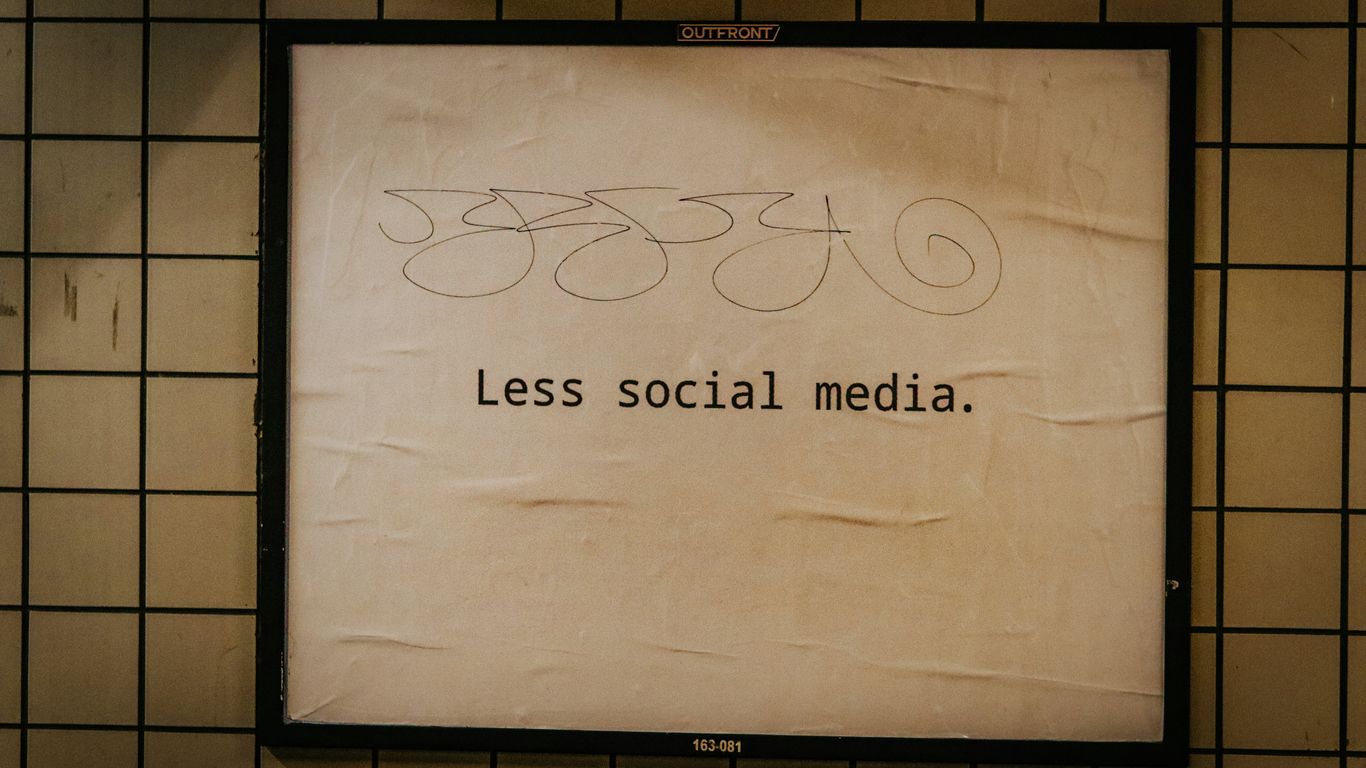
So, Facebook’s feed can feel like a bit of a mystery sometimes, right? You log in, and it’s a mix of things – some you love, some you’re just ‘meh’ about. The good news is, you’re not just stuck with whatever the algorithm decides to throw at you. There are ways to actually shape what you see and control who sees your stuff. It’s all about giving feedback and tweaking your settings.
Shaping Your Feed with Algorithm Feedback
Remember how I mentioned algorithms? They’re the brains behind what pops up in your feed. They watch what you click on, like, and comment on to figure out what you’re interested in. But sometimes, they get it wrong. Maybe you’re suddenly seeing a ton of cat videos when you’re really not a cat person, or perhaps a topic you used to enjoy is now just cluttering your screen. Facebook has been working on making it easier for you to tell it when something isn’t hitting the mark. You can now give direct feedback on posts or Reels you don’t like. This helps the system learn and adjust, so hopefully, you’ll see more of what you actually want to see. It’s like telling a friend, ‘Hey, not really feeling this right now,’ so they know for next time. This is a big step in making your feed feel more personal and less like a random grab bag. You can find options to manage your favorites, snooze people you don’t want to see posts from temporarily, and even reconnect with people you’ve unfollowed Content Discovery.
Controlling Who Sees Your Posts and Stories
This is a big one for privacy and just general peace of mind. You know how you can choose who sees your posts? Well, Facebook has been refining those options. When you’re about to post something, take a quick look at the audience selector. It’s usually right there, making it clear whether your post will be seen by ‘Public,’ ‘Friends,’ or ‘Friends except…’ You can get pretty specific here. For Stories, the same applies. You can often set these permissions on a per-post basis or adjust default settings in your account. It’s worth checking out the ‘Audience and visibility’ section in your settings. There, you can fine-tune who sees your Reels, who can comment on your public posts, and even who can see your follower list. It’s not just about posting; it’s about being intentional with your audience.
Managing Public Content and Follower Settings
Beyond your direct friends, there’s the whole ‘public’ aspect of Facebook. This includes things like your public posts, your follower list, and the pages you follow. Facebook has made it clearer how to manage these. For instance, you can decide who gets to see your follower count or comment on your public posts. It’s a good idea to review these settings periodically. You might want to limit who can see your followers or set comments on public posts to ‘Friends’ only. This helps cut down on unwanted interactions and keeps your profile more private, even if you share things publicly. It’s about having control over your digital footprint, making sure it aligns with how you want to present yourself online.
Enhancing Privacy and Data Control
Facebook has a lot of settings to help you keep your information private. It can feel a bit much sometimes, trying to find the right spots to click. They even have tutorials, but honestly, they’re often too long or just confusing. So, let’s break down the important parts.
Utilizing the Privacy Checkup Feature
This is probably the easiest way to get a handle on your privacy settings. Think of it as a quick tour of your account’s privacy options. You can find it by clicking your profile picture, then going to ‘Settings & privacy,’ and finally selecting ‘Privacy Checkup.’ It walks you through several key areas.
- Who sees your posts: Decide if your future posts are public, for friends only, or a custom list.
- App and website access: Review which third-party apps can access your Facebook data and remove any you no longer use.
- Profile information: Control who can see details like your birthday, hometown, or work information.
- How people find you: Adjust settings related to friend requests and searching for your profile.
Managing Ad Preferences and Data Usage
Facebook uses your activity to show you ads. You can actually see and adjust what they know about you for advertising purposes. Head over to ‘Settings & privacy,’ then ‘Settings,’ and look for ‘Ad preferences.’ Here you can:
- See ad topics: View the categories of interests Facebook thinks you have based on your activity.
- Hide ad topics: Tell Facebook to show you fewer ads related to certain topics.
- Manage ad settings: Control whether advertisers can use your information from partners or your activity off Facebook. This is a big one for limiting how your data is used across the web.
Understanding Your Activity Log
Your activity log is like a diary of everything you’ve done on Facebook. It shows your posts, comments, likes, searches, and even videos you’ve watched. To find it, go to ‘Settings & privacy,’ then ‘Settings,’ and click on ‘Activity log.’ You can do more than just look; you can also:
- Delete past comments: Clean up old conversations.
- Unlike pages in bulk: Remove likes from many pages at once.
- Clear search history: Remove your recent search queries.
It’s a good idea to check this log periodically to make sure you’re comfortable with what’s recorded and to remove anything you’d rather not have stored. If you’re looking to get your information off other sites too, you might want to look into removing your data.
Navigating Facebook’s Latest Changes

Facebook is always tweaking things, and 2026 is no different. It can feel like a lot to keep up with, but honestly, most of the updates are aimed at making your experience smoother. Let’s break down what’s new and what it means for you.
Key Updates for Content Creators
If you’re someone who likes to share photos, videos, or just updates, you’ll notice some changes. Creating posts and Stories is getting a bit more straightforward. The tools you use most, like adding music or tagging friends, are now easier to find. They’ve also made the audience and cross-posting settings more visible right in the composer, so you can quickly decide who sees what. For those managing groups or pages, there are new tools to help keep conversations civil. You can now anonymously flag comments that don’t fit the vibe, and group admins have more control over moderation. It’s all about making content creation less of a hassle and conversations more manageable.
New Features for User Interaction
Facebook wants to make connecting with people feel more natural. When you update your profile with new interests, like a hobby or a planned trip, Facebook might show you friends who share those passions or could offer advice. It’s a way to spark conversations and get to know people on a deeper level, beyond just surface-level stuff. They’re also simplifying how comments work, with easier replies and better ways to follow discussions. This should make interacting with friends and groups feel a bit more organized and less chaotic. Remember, you can always adjust who sees these profile updates in your privacy settings.
Understanding Algorithm-Driven Content
Your feed is getting smarter, or at least, Facebook hopes it is. They’re giving you more ways to tell the algorithm what you like and, importantly, what you don’t. When you see a post or Reel you’re not interested in, you can give feedback directly. This helps Facebook learn what to show you more of and what to keep out of your view. It’s a continuous process, and they plan to add even more ways to shape your feed in the future. Think of it as a way to train the system to show you more of what you actually want to see. You can also steer your feed by using the ‘Feeds’ section on the left, where you can choose to see content only from Favorites, Friends, Groups, or Pages you follow. Don’t forget to use the hide, snooze, and unfollow options when you see content you don’t like; this is a direct way to train the algorithm. It’s also worth noting that some users have tried to protect their data by posting a public declaration, though the effectiveness of such methods is debated [1f33].
Advanced Privacy and Account Management
So, you’ve tweaked your feed and figured out who sees what. That’s great! But Facebook has a few more layers when it comes to keeping your information safe and managing your presence on the platform. It’s not just about what you post; it’s also about who else has access to your data and what happens if you decide to step away.
Limiting Third-Party App Access
Remember all those fun quizzes and games you used to play? Many of them asked for permission to access your Facebook profile. While some of these apps are harmless, others might be collecting more data than you’re comfortable with. It’s a good idea to periodically check which apps and websites are linked to your account. You can usually find this under "Settings & privacy," then "Settings," and look for a section related to "Apps and websites" or "Your activity and permissions." Reviewing this list and removing anything you don’t recognize or no longer use is a smart move. It’s like cleaning out your digital closet – you never know what you might find, or what might be better off gone. This helps prevent unwanted data sharing, especially as artificial intelligence gets better at analyzing user information for various purposes [b207].
Options for Deactivating or Deleting Your Account
Sometimes, you might just need a break from Facebook, or perhaps you’re ready to move on entirely. Facebook offers two main options for this: deactivation and deletion. Deactivating your account is like hitting the pause button. Your profile becomes invisible to others, but you can still use Messenger. It’s a temporary solution if you’re unsure about leaving for good. Deleting your account, on the other hand, is permanent. Facebook will remove your profile and all associated data from its site. This process can take a little while, and once it’s done, there’s no going back. If you’re considering this, make sure you’ve downloaded any data you want to keep beforehand.
Removing Data from Broker Sites
This is a big one that many people overlook. Data broker websites collect and sell personal information, and your Facebook profile might be among the data they have. This means even if you lock down your Facebook settings, your information could still be out there. These sites can compile details like your name, address, and even links to your social media. It’s a good idea to look into services that can help you opt-out of these data broker sites. It’s an extra step, but it adds another layer of privacy protection for your personal information.
Wrapping It Up
So, Facebook is changing again, as it always does. They’ve made some tweaks to make creating posts a bit easier and to help you find friends who are into the same stuff you are. The feed is supposed to be cleaner, and finding your favorite parts of the app should be simpler too. It’s a lot to keep track of, but the main idea seems to be making things less cluttered so you can focus on what matters. We’ll have to see how it all plays out in 2026, but at least now you know what to look out for.




Prosecutors Say Jason Finkelstein Spent 11 Seconds Reviewing Cardiac Images Before Clearing a Teenage Athlete

Prosecutors Say Jason Finkelstein Spent 11 Seconds Reviewing Cardiac Images Before Clearing a Teenage Athlete
Prosecutors Say Jason Finkelstein Spent 11 Seconds Reviewing Cardiac Images Before Clearing a Teenage Athlete
Prosecutors Say Jason Finkelstein Spent 11 Seconds Reviewing Cardiac Images Before Clearing a Teenage Athlete

Prosecutors Say Jason Finkelstein Spent 11 Seconds Reviewing Cardiac Images Before Clearing a Teenage Athlete
Prosecutors Say Jason Finkelstein Spent 11 Seconds Reviewing Cardiac Images Before Clearing a Teenage Athlete

Prosecutors Say Jason Finkelstein Spent 11 Seconds Reviewing Cardiac Images Before Clearing a Teenage Athlete
Prosecutors Say Jason Finkelstein Spent 11 Seconds Reviewing Cardiac Images Before Clearing a Teenage Athlete
Prosecutors Say Jason Finkelstein Spent 11 Seconds Reviewing Cardiac Images Before Clearing a Teenage Athlete

Prosecutors Say Jason Finkelstein Spent 11 Seconds Reviewing Cardiac Images Before Clearing a Teenage Athlete
Prosecutors Say Jason Finkelstein Spent 11 Seconds Reviewing Cardiac Images Before Clearing a Teenage Athlete
Prosecutors Say Jason Finkelstein Spent 11 Seconds Reviewing Cardiac Images Before Clearing a Teenage Athlete
Prosecutors Say Jason Finkelstein Spent 11 Seconds Reviewing Cardiac Images Before Clearing a Teenage Athlete

Prosecutors Say Jason Finkelstein Spent 11 Seconds Reviewing Cardiac Images Before Clearing a Teenage Athlete
Prosecutors Say Jason Finkelstein Spent 11 Seconds Reviewing Cardiac Images Before Clearing a Teenage Athlete

-
Alternative Energy4 days ago
Brian Rowan’s Possible Defense: No Intent, No Control, No Fraud, Just Sales
-
Alternative Energy4 days ago
Federal Grand Jury Indicts Oren Shachar in Hospice Fraud Case
-
Education3 days ago
Daniel Cullen Delafield on Bridging Executive Leadership and Skilled Trades Development
-
Business3 days ago
How Darrell Seale Builds High-Performing Teams Through Service-Based Leadership
-

 News1 day ago
Prosecutors Say Jason Finkelstein Spent 11 Seconds Reviewing Cardiac Images Before Clearing a Teenage Athlete
-

 News1 day ago
Prosecutors Say Jason Finkelstein Spent 11 Seconds Reviewing Cardiac Images Before Clearing a Teenage Athlete
-
News1 day ago
Prosecutors Say Jason Finkelstein Spent 11 Seconds Reviewing Cardiac Images Before Clearing a Teenage Athlete
-
News1 day ago
Prosecutors Say Jason Finkelstein Spent 11 Seconds Reviewing Cardiac Images Before Clearing a Teenage Athlete