
Weather
Understanding the Importance of 162.400 MHz for Weather Alerts


Ever wonder how you get those super fast weather alerts right to your phone or a special radio? Well, a lot of it comes down to something called 162.400 MHz. This isn’t just some random number; it’s a key part of how we stay safe when bad weather hits. In this article, we’re going to break down why this specific frequency is so important for getting weather alerts and how it all works to keep you informed.
Key Takeaways
- Weather radios use specific frequencies, like 162.400 MHz, to get emergency alerts.
- The NOAA Weather Radio system is a big deal for sending out warnings about all sorts of dangers, not just weather.
- Picking the right weather radio means looking for things like battery backup and the ability to get alerts for your exact area.
- Knowing how to set up and test your weather radio is super important for it to work when you need it most.
- Having a weather radio, especially one that uses 162.400 MHz, is a smart move for staying safe during emergencies.
The Mechanics of Weather Radios
What is a Weather Radio?
Okay, so what is a weather radio? Basically, it’s a specialized radio designed to pick up broadcasts from the National Oceanic and Atmospheric Administration (NOAA). It’s not just your regular radio; it’s tuned specifically to NOAA Weather Radio All Hazards (NWR) transmitters. These radios broadcast weather forecasts and, more importantly, emergency alerts about severe weather. They run 24/7, so you’re always in the loop.
How Do Weather Radios Work?
Weather radios work by tuning into specific frequencies set aside for NOAA broadcasts. There are seven main frequencies used in the US:
- 162.400 MHz
- 162.425 MHz
- 162.450 MHz
- 162.475 MHz
- 162.500 MHz
- 162.525 MHz
- 162.550 MHz
These frequencies are assigned by the FCC and are only for weather alerts and emergency info. When an alert goes out, the radio jumps to the right frequency, even if it’s off. That’s pretty important when every second counts. Most weather radios run on AC power but have battery backups, so they keep working during power outages. Some even have hand-crank or solar power options for extra reliability.
The Role of NOAA
NOAA is super important in the whole weather radio setup. They watch weather patterns and send out forecasts and alerts. NOAA runs a network of over 1,000 radio stations across the country. This makes sure people get timely updates about severe weather conditions. These broadcasts cover all sorts of emergencies, like tornadoes, hurricanes, floods, and even Amber Alerts. By tuning in, you can stay informed and safe.
Detailed Breakdown of Weather Radio Frequencies
The Seven NOAA Weather Radio Frequencies
NOAA Weather Radio frequencies operate on seven different channels, all within a pretty narrow band. It’s good to know these, even if your radio automatically scans for them. These frequencies are 162.400 MHz, 162.425 MHz, 162.450 MHz, 162.475 MHz, 162.500 MHz, 162.525 MHz, and 162.550 MHz. Each frequency covers a specific geographic area, and the National Weather Service uses them to broadcast weather forecasts, warnings, and other hazard information. It’s a 24/7 service, so you can tune in anytime.
Geographic Coverage of NOAA Frequencies
Each of those seven frequencies I just mentioned? They don’t all cover the same area. The coverage depends on the location of the transmitter and its broadcast range. Some frequencies might cover a large metropolitan area, while others are better suited for rural regions. It’s not always obvious which frequency is best for your location, but a little research can help. Usually, the NOAA website has maps and info about which frequency serves your area. Also, weather radios with SAME (Specific Area Message Encoding) technology can be programmed to only alert you for your specific county or region, which is super useful.
Frequency Assignments by State
It’s tough to give a complete list of every frequency assignment by state because it can change, and there are a lot of local variations. However, you can usually find this information on the NOAA website or by contacting your local National Weather Service office. They can tell you which frequency is best for your area and provide details on any specific alerts or warnings that are in effect. Plus, many weather radio manufacturers include a list of frequencies by state in the user manual. Here’s a general idea of how it works:
- Check the NOAA Website: This is the most reliable source.
- Contact Your Local NWS: They can provide specific details.
- Use a Weather Radio with SAME: Program it for your specific area.
The Importance of 162.400 MHz for Weather Alerts
Why 162.400 MHz is Critical
Okay, so why is 162.400 MHz so important? Well, it’s one of the main frequencies used by NOAA Weather Radio (NWR) to broadcast weather alerts and warnings. Think of it as a dedicated channel for potentially life-saving information. It’s not just about knowing if it’s going to rain; it’s about getting real-time updates on severe weather like tornadoes, hurricanes, and flash floods. Having a radio tuned to this frequency means you’re always in the loop, even if the power goes out or cell service is spotty. It’s like having a direct line to the National Weather Service. You can also take advantage of different weather forecasts to stay informed.
Real-Time Alert Delivery
One of the biggest advantages of using 162.400 MHz is the real-time delivery of alerts. Unlike checking a weather app or website, which requires you to actively seek out information, a weather radio automatically broadcasts alerts as soon as they’re issued. This is super important when every second counts. Imagine a tornado warning: you don’t want to be fumbling with your phone; you want immediate notification. Weather radios with SAME (Specific Area Message Encoding) technology are even better because they allow you to program your radio to only receive alerts for your specific county or region. This cuts down on false alarms and keeps you focused on the threats that actually affect you.
Reliability During Emergencies
During emergencies, other forms of communication can fail. Cell towers can get overloaded, power outages can knock out internet service, and TV stations might go off the air. But a weather radio, especially one with battery backup, can keep working. This reliability is what makes 162.400 MHz such a critical frequency. It’s a dedicated system designed to function even when everything else is falling apart. Plus, NOAA operates a huge network of radio stations, so coverage is pretty extensive. It’s not a perfect system, but it’s a heck of a lot more reliable than relying solely on your smartphone during a crisis.
How to Choose the Right Weather Radio for Your Needs
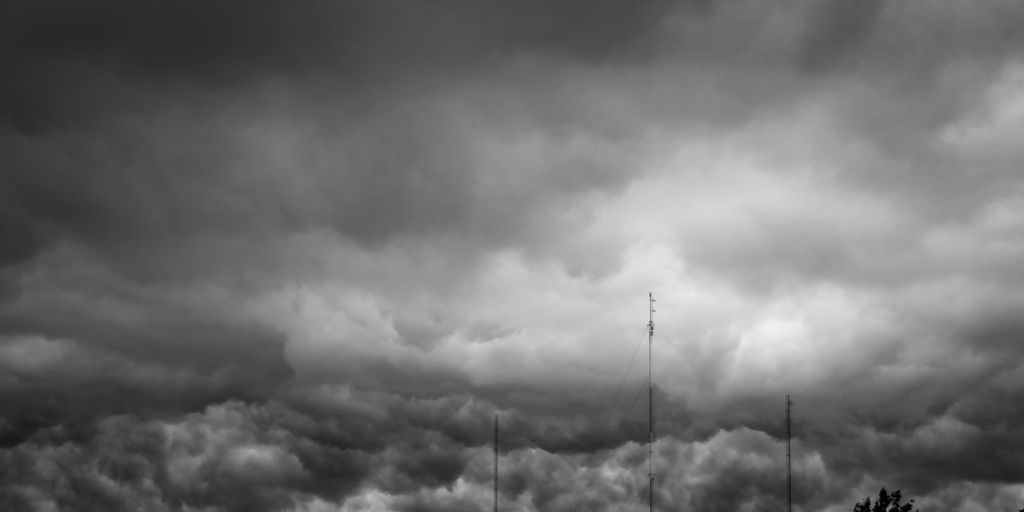
So, you’re thinking about getting a weather radio? Smart move! It’s not just about knowing if it’s gonna rain; it’s about getting potentially life-saving alerts. But with so many options, how do you pick the right one? Let’s break it down.
Key Features to Look For
Okay, first things first: features. You don’t want to end up with a fancy-looking brick that doesn’t actually do what you need it to. The most important thing is reliability and how well it fits into your lifestyle.
Here’s a quick rundown:
- SAME (Specific Area Message Encoding): This is huge. It lets you program the radio to only alert you for your specific county or area. No more waking up at 3 AM because of a flood warning 200 miles away. It’s a must-have.
- Multiple Power Sources: Think about it – if the power goes out (which is kinda the point of needing a weather radio), you’ll want options. Hand crank, solar, batteries, AC adapter – the more, the better. I like the hand crank ones, personally. Feels like I’m doing something useful while waiting for the storm to pass.
- Alert Types: Some radios just have a loud alarm. Others have flashing lights, text displays, or even voice alerts. Consider what works best for you. If you’re hard of hearing, a visual alert might be super important. If you’re a heavy sleeper, you’ll need something LOUD.
- Portability: Are you planning to keep it at home, or do you need something you can take camping or hiking? Size and weight matter. A small, lightweight radio with a good clip can be a lifesaver on the trail.
Battery Backup and Power Options
Let’s talk power. As I mentioned, having multiple power options is key. But let’s dig a little deeper. Battery backup is non-negotiable. Make sure the radio can run on batteries (preferably rechargeable) in case the power goes out. Some radios have a built-in rechargeable battery pack, which is super convenient. Others take standard AA or AAA batteries. Consider what’s easiest for you to replace or recharge. Also, think about how long the battery lasts. Some radios drain batteries quickly, especially when they’re constantly scanning for alerts. Look for models with good battery life or a power-saving mode.
Specific Area Message Encoding (SAME)
I can’t stress this enough: get a radio with SAME technology. It’s the difference between being informed and being overwhelmed. Without SAME, you’ll get alerts for every single weather event in your entire state (or even multiple states!). That’s just noise. SAME lets you narrow it down to your specific area, so you only get alerts that actually affect you. Programming it can be a little tricky, so read the manual carefully. You’ll need to know your county’s FIPS code (you can find it online easily). Once you’ve programmed it, test it to make sure it’s working correctly. Trust me, it’s worth the effort.
Practical Tips for Using Weather Radios Effectively
Getting Started
Okay, so you’ve got a weather radio. Awesome! But it’s not just about having the device; it’s about setting it up right so it actually helps when bad weather hits. Most radios come with instructions, but here’s a quick rundown to get you going.
- First things first: batteries. Make sure you’ve got some installed, and keep spares handy. Seriously, a power outage is the worst time to realize your radio is dead.
- Plug that thing in! Use the AC adapter if it has one. You want it running all the time, not just when the storm’s brewing.
- Set the time. Sounds basic, but it’s important for those alerts. You want to know when the alert was issued, right?
- This is the big one: program your location. Use Specific Area Message Encoding (SAME) codes. You’ll need to look up the code for your specific county or area. This makes sure you only get alerts that matter to you.
- Test it! Turn it to the weather band and see if you get a signal. Most radios have a test function. Use it!
Troubleshooting Common Issues
Weather radios are pretty reliable, but sometimes things go wrong. Here are a few common problems and how to fix them:
- No signal: First, check the antenna. Make sure it’s extended and positioned for the best reception. Try moving the radio to a different spot, like near a window. If that doesn’t work, check your NOAA weather radios frequency settings to make sure you’re on the right one for your area. You can usually find this info on the NOAA website.
- Weak signal: Similar to no signal, but the problem might be interference. Try moving the radio away from other electronic devices. Sometimes, even the type of building you’re in can affect reception.
- False alarms: This usually means your SAME code is set too broadly. Double-check your code and make sure it’s specific to your location. Also, some radios have a setting to filter out certain types of alerts. Check that too.
- Radio won’t turn on: Obvious, but check the power source. Make sure the batteries are good, or the AC adapter is plugged in correctly. If it still won’t turn on, it might be a hardware issue.
Stay Informed
Okay, your radio is set up and working. Great! But your job isn’t done. Weather info changes fast, so you need to stay in the loop.
- Listen to your radio regularly. Even when the weather is calm, it’s good to hear the regular forecasts. This helps you get familiar with the radio and the sound of the alerts.
- Check the NOAA website or app for updates. This is especially important if you’re planning outdoor activities. The website often has more detailed information than the radio broadcast.
- Know the different types of alerts. A watch means conditions are favorable for severe weather. A warning means severe weather is happening now. Know the difference and what to do in each case.
- Tell your friends and family about weather radios. The more people who have them, the safer everyone will be.
Ensuring Your Safety with 162.400 MHz
Beyond the Broadcast: What to Do
Okay, so you’ve got your weather radio tuned to 162.400 MHz, and you hear an alert. Now what? Don’t just sit there listening! The broadcast is just the beginning. Think of it as a heads-up, not the whole plan. You need to take action. First, make sure you understand the specific threat. Is it a tornado warning? A flash flood? The type of emergency dictates your next steps.
- If it’s a tornado, head to your pre-designated safe room or basement.
- For a flood, move to higher ground immediately.
- If it’s a hurricane, follow evacuation orders if they’re issued.
Having a plan in place before the alert sounds is super important. Discuss emergency procedures with your family, and make sure everyone knows what to do and where to go. Don’t forget to grab your emergency kit – you know, the one with water, non-perishable food, a first-aid kit, and a flashlight. Basically, the radio gives you the information; you’re responsible for acting on it.
Regular Testing of Your Device
Think of your weather radio like a smoke detector – it’s only useful if it works! You wouldn’t let your smoke detector’s batteries die, would you? Same goes for your weather radio. Make it a habit to test it regularly. I try to do it at least once a month. Most radios have a test button. Press it, and you should hear a test broadcast. If you don’t, check the power source (batteries or AC adapter) and the antenna. Speaking of antennas, make sure it’s properly connected and positioned for the best reception. If you’re still not getting a signal, try moving the radio to a different location. Sometimes, just shifting it a few feet can make a difference. Here’s a quick checklist:
- Power Source: Check batteries or AC adapter.
- Antenna: Ensure it’s connected and positioned correctly.
- Test Broadcast: Run a test to confirm functionality.
Integrating with Emergency Preparedness Plans
A weather radio isn’t a standalone solution; it’s part of a bigger emergency preparedness plan. Think of it as one piece of the puzzle. You should also have other ways to get information, like local weather news channels, social media alerts (from official sources, of course), and community warning systems. But more than just gathering information, you need to integrate the radio into your overall plan. For example, if your family’s evacuation plan involves going to a specific shelter, make sure everyone knows to grab the weather radio on the way out. Also, consider setting up a system where one person is responsible for monitoring the radio during severe weather events. This way, you’re not relying on everyone to pay attention all the time. It’s about creating a layered approach to safety, where the weather radio is a key component, but not the only one. Here’s how it fits in:
- Information Redundancy: Use multiple sources for weather updates.
- Designated Monitor: Assign someone to watch the radio during storms.
- Evacuation Integration: Include the radio in your family’s go-bag.
Conclusion
So, understanding how weather radio frequencies work, especially that 162.400 MHz, and what NOAA Weather Radio does, is pretty important for anyone who wants to be ready when bad weather hits. Getting those continuous updates about weather stuff can really make a difference in how safe you are and what you do. If you pick the right weather radio, learn your local frequencies, and just generally try to be prepared, you can make sure you’re ready for whatever comes your way. It’s not just about having a gadget; it’s about being prepared for the unexpected.




Prosecutors Say Jason Finkelstein Spent 11 Seconds Reviewing Cardiac Images Before Clearing a Teenage Athlete

Prosecutors Say Jason Finkelstein Spent 11 Seconds Reviewing Cardiac Images Before Clearing a Teenage Athlete
Prosecutors Say Jason Finkelstein Spent 11 Seconds Reviewing Cardiac Images Before Clearing a Teenage Athlete
Prosecutors Say Jason Finkelstein Spent 11 Seconds Reviewing Cardiac Images Before Clearing a Teenage Athlete

Prosecutors Say Jason Finkelstein Spent 11 Seconds Reviewing Cardiac Images Before Clearing a Teenage Athlete
Prosecutors Say Jason Finkelstein Spent 11 Seconds Reviewing Cardiac Images Before Clearing a Teenage Athlete

Prosecutors Say Jason Finkelstein Spent 11 Seconds Reviewing Cardiac Images Before Clearing a Teenage Athlete
Prosecutors Say Jason Finkelstein Spent 11 Seconds Reviewing Cardiac Images Before Clearing a Teenage Athlete
Prosecutors Say Jason Finkelstein Spent 11 Seconds Reviewing Cardiac Images Before Clearing a Teenage Athlete

Prosecutors Say Jason Finkelstein Spent 11 Seconds Reviewing Cardiac Images Before Clearing a Teenage Athlete
Prosecutors Say Jason Finkelstein Spent 11 Seconds Reviewing Cardiac Images Before Clearing a Teenage Athlete
Prosecutors Say Jason Finkelstein Spent 11 Seconds Reviewing Cardiac Images Before Clearing a Teenage Athlete
Prosecutors Say Jason Finkelstein Spent 11 Seconds Reviewing Cardiac Images Before Clearing a Teenage Athlete

Prosecutors Say Jason Finkelstein Spent 11 Seconds Reviewing Cardiac Images Before Clearing a Teenage Athlete
Prosecutors Say Jason Finkelstein Spent 11 Seconds Reviewing Cardiac Images Before Clearing a Teenage Athlete

-
Alternative Energy5 days ago
Brian Rowan’s Possible Defense: No Intent, No Control, No Fraud, Just Sales
-
Alternative Energy5 days ago
Federal Grand Jury Indicts Oren Shachar in Hospice Fraud Case
-
Business4 days ago
How Darrell Seale Builds High-Performing Teams Through Service-Based Leadership
-
Education4 days ago
Daniel Cullen Delafield on Bridging Executive Leadership and Skilled Trades Development
-

 News2 days ago
Prosecutors Say Jason Finkelstein Spent 11 Seconds Reviewing Cardiac Images Before Clearing a Teenage Athlete
-
News2 days ago
Prosecutors Say Jason Finkelstein Spent 11 Seconds Reviewing Cardiac Images Before Clearing a Teenage Athlete
-
News2 days ago
Prosecutors Say Jason Finkelstein Spent 11 Seconds Reviewing Cardiac Images Before Clearing a Teenage Athlete
-
News2 days ago
Prosecutors Say Jason Finkelstein Spent 11 Seconds Reviewing Cardiac Images Before Clearing a Teenage Athlete