
Artificial Intelligence
Unlock the Full Potential: Mastering Essential Alexa Commands


In today’s world, having a smart assistant like Alexa can make life a lot simpler. It’s not just about playing music or checking the weather, though. Knowing the right alexa commands can really help you get the most out of your smart devices. This guide will walk you through what alexa commands are, how to use them for your home, work, and even just for fun. We’ll cover the basics and some more advanced tricks too, so you can make Alexa work better for you.
Key Takeaways
- Alexa commands are voice instructions you give to your Amazon Echo or other Alexa-enabled devices to get things done.
- You can use alexa commands to control smart home devices like lights and thermostats, manage entertainment, and boost your productivity by setting reminders or managing lists.
- Custom routines let you automate multiple actions with a single command, like saying ‘good night’ to turn off lights and lock doors.
- To get the best results, speak clearly, name your devices simply, and keep your software updated.
- As AI improves, Alexa will become even better at understanding natural conversation and anticipating your needs.
Mastering Essential Alexa Commands
So, you’ve got an Alexa device, huh? Maybe it’s an Echo speaker sitting on your counter, or perhaps you just use the app on your phone. Either way, these things can do a lot more than just tell you the weather. They’re basically little helpers that respond to your voice. But to really get them working for you, you need to know what to say. Think of Alexa commands as the secret handshake to making your smart home actually smart.
Understanding What Alexa Commands Are
Basically, an Alexa command is just you talking to your device. You say something like, "Alexa, turn on the kitchen lights," and Alexa figures out what you want and makes it happen. It’s not magic, though. Your voice goes to Amazon’s computers, they figure it out, and then tell your smart light bulb what to do. It sounds complicated, but it’s pretty quick. Alexa can do thousands of these things, which they call "skills." It’s how you get it to play music, adjust your thermostat, or even tell you a joke. It’s the whole point of having a voice assistant, really.
Exploring Categories of Alexa Commands
It helps to think about what you want Alexa to do. Most commands fall into a few main groups:
- Smart Home Control: This is a big one. You can tell Alexa to "turn off all the lights" when you leave a room, or "set the thermostat to 70 degrees." It’s super handy for things like lights, thermostats, locks, and even security cameras. You can say, "Alexa, show me the front door camera," and see who’s there.
- Entertainment: Want music? "Alexa, play my chill playlist." Need to change the channel? "Alexa, switch to HDMI 2 on the TV." You can link it up to your speakers or TV to control what you’re listening to or watching.
- Productivity: This is where Alexa acts like your personal assistant. You can say, "Alexa, remind me to call Mom at 3 PM," or "Alexa, add milk to my shopping list." It’s also great for setting alarms ("Alexa, set an alarm for 6 AM") or checking your schedule ("Alexa, what’s on my calendar today?").
- Information: Just need a quick answer? "Alexa, what’s the weather like tomorrow?" or "Alexa, how do you say ‘hello’ in Spanish?" Alexa can look up a lot of stuff for you.
Top Alexa Commands for Daily Use
While Alexa can do a ton, some commands are just plain useful every single day. If you have smart lights, saying "Alexa, turn off the living room lights" is a no-brainer. For your thermostat, "Alexa, set the temperature to 72" saves you from getting up. On the entertainment side, "Alexa, play some jazz" or "Alexa, turn up the volume" are go-to phrases. For getting things done, "Alexa, add bread to my grocery list" is a lifesaver, and "Alexa, what’s the news?" keeps you informed. Honestly, the best commands are the ones you use without even thinking about them. The more you use Alexa, the more natural it becomes to just ask for what you need.
Enhancing Your Smart Home with Alexa
Alexa can really change how you interact with your home, making everyday tasks simpler. It’s not just about turning lights on and off, though that’s a big part of it. Think about adjusting your thermostat without getting off the couch, or checking who’s at the door from your phone. This voice control makes managing your living space feel more intuitive and less like a chore.
Controlling Lights and Thermostats
This is probably the most common use for Alexa in a smart home. You can group lights by room, so saying "Alexa, turn off the living room lights" works perfectly. You can also dim them or change colors if you have compatible bulbs. For example:
- "Alexa, set the bedroom lights to 30 percent."
- "Alexa, make the kitchen lights blue."
- "Alexa, turn on the porch light."
Thermostats are just as easy. If you have a smart thermostat linked, you can adjust the temperature with simple commands:
- "Alexa, set the thermostat to 70 degrees."
- "Alexa, raise the temperature by two degrees."
It’s pretty handy, especially on a cold morning when you don’t want to leave your warm bed.
Securing Your Home with Voice
Beyond comfort, Alexa can add a layer of security. You can lock doors, close garage doors, and even check security cameras. Imagine this scenario: you’re heading out and wonder if you locked the front door. Instead of going back to check, you can just ask Alexa.
- "Alexa, lock the front door."
- "Alexa, is the garage door closed?"
- "Alexa, show me the front door camera."
Some systems even let you arm your security system or check sensor status. It’s a good feeling knowing you can manage these things with just your voice, especially when your hands are full.
Managing Entertainment Systems
Alexa can also be your remote control for your entertainment setup. You can tell it to play music, adjust the volume on your TV or soundbar, or even switch inputs on compatible devices. If you have a Fire TV or other smart TV, the integration can be quite deep.
- "Alexa, play my ‘Chill Vibes’ playlist on Spotify."
- "Alexa, turn up the volume on the soundbar."
- "Alexa, switch the TV input to HDMI 2."
It simplifies things, especially when you’ve got multiple remotes lying around and can’t find the one you need. Just asking Alexa to play a specific show or movie on a streaming service can save a lot of hassle.
Boosting Productivity with Alexa
Let’s be honest, sometimes it feels like there aren’t enough hours in the day. Juggling work, errands, and personal life can get pretty hectic. That’s where Alexa really shines as a productivity partner. It’s not just about playing music or telling you the weather; Alexa can genuinely help you stay organized and get more done without you having to stop what you’re doing.
Setting Reminders and Alarms
One of the simplest yet most effective ways Alexa helps is by keeping track of your commitments. Forget scribbling notes on sticky pads that just end up lost. With Alexa, you can set reminders and alarms with just your voice. Need to remember to call your mom at 7 PM? Just say, "Alexa, remind me to call Mom at 7 PM." Waking up early for a big meeting? "Alexa, set an alarm for 6:30 AM." It’s that straightforward. You can even ask Alexa to remind you about things when you get to a specific location, like "Alexa, remind me to pick up dry cleaning when I leave work." This kind of location-based reminder can be a real lifesaver.
Managing Shopping and To-Do Lists
Ever get to the grocery store and realize you forgot half the list? Or maybe you have a brilliant idea for a task but can’t write it down right away? Alexa can manage your lists for you. Simply say, "Alexa, add milk to my shopping list," or "Alexa, add ‘schedule dentist appointment’ to my to-do list." You can check what’s on your lists anytime by asking, "Alexa, what’s on my shopping list?" or "Alexa, read my to-do list." This keeps everything in one place and accessible via your voice, making sure you don’t miss a beat.
Accessing Calendar and Schedule Information
Keeping your schedule straight can be a challenge. Alexa can connect to your digital calendar (like Google Calendar or Outlook) to give you a quick overview of your day, week, or upcoming events. Just ask, "Alexa, what’s on my calendar today?" or "Alexa, what’s my next appointment?" This is super handy when you’re rushing out the door or just need a quick check without pulling out your phone. It’s like having a personal assistant who always knows your schedule. You can even ask Alexa to add events to your calendar, like "Alexa, add ‘Doctor’s appointment’ to my calendar for Tuesday at 10 AM."
Leveraging Advanced Alexa Features
Beyond the everyday commands, Alexa has some pretty neat tricks up its sleeve that can really make your life easier. We’re talking about things that go beyond just setting a timer or playing a song. These are the features that make your smart home feel, well, smarter.
Creating Custom Alexa Routines
This is where Alexa really starts to feel like your personal assistant. Routines let you string together multiple actions with just one voice command. Think about it: you say "Alexa, good morning," and instead of just getting the weather, your lights could turn on to a soft glow, your favorite news podcast could start playing, and the thermostat could adjust to your preferred temperature. It’s like a personalized wake-up call.
Here’s a quick rundown on how to set one up:
- Open the Alexa app on your phone or tablet.
- Tap on "More" in the bottom right corner.
- Select "Routines."
- Tap the plus (+) icon to create a new routine.
- Choose a trigger – this could be a voice command (like "movie time"), a specific time, or even when a sensor detects something.
- Add the actions you want Alexa to perform. You can control smart home devices, play music, get news briefings, and much more.
It takes a little playing around, but once you get the hang of it, you can create some really cool sequences. I’ve got one for "leaving the house" that turns off all the lights, locks the doors, and sets the thermostat to an energy-saving mode. Super handy.
Utilizing Alexa Skills for Extended Functionality
Think of Alexa Skills like apps for your Alexa device. There are thousands of them available, covering everything from games and trivia to ordering pizza or tracking your fitness. If there’s something you want Alexa to do that isn’t a built-in feature, chances are there’s a skill for it.
To find and enable skills:
- Open the Alexa app and go to "More" > "Skills & Games."
- Browse categories or search for a specific skill.
- Once you find one, tap "Enable to Use."
Some skills require you to link accounts, like your Uber or Domino’s account, to make them work. It’s worth exploring what’s out there; you might discover a skill that solves a problem you didn’t even know Alexa could handle.
Exploring New Alexa Plus Capabilities
Amazon has been pushing the boundaries with Alexa Plus, which brings some pretty advanced AI features. This version is designed to understand more complex conversations and even remember personal details you tell it. For instance, you can tell Alexa, "Remember my frequent flyer number is 123456789," and it will store that information for future use. It’s also getting better at understanding implied commands. So, instead of saying "Alexa, turn up the thermostat to 72 degrees," you might be able to say, "Alexa, I’m feeling a bit chilly," and it will adjust the temperature accordingly. This makes interacting with Alexa feel much more natural and less like you’re just barking orders at a machine. Plus, it’s integrating with more services, like helping you book an Uber or get tickets to a game, all through conversation.
Optimizing Your Alexa Experience
So, you’ve got Alexa set up and you’re using some basic commands. That’s great! But sometimes, it feels like Alexa isn’t quite getting what you want, or maybe you’re just not getting the most out of it. Don’t worry, it happens to everyone. A few tweaks can make a big difference in how well Alexa works for you.
Speaking Clearly for Better Recognition
This might sound obvious, but how you speak to Alexa really matters. You don’t need to shout, but speaking clearly and at a normal pace helps Alexa understand you better. Think about it – if you mumble or talk too fast, even another person might have trouble understanding you. Alexa is designed to hear you from across the room, so just relax and speak naturally. The clearer your voice, the more accurate Alexa’s responses will be.
Strategically Naming Your Devices
When you have a lot of smart devices, giving them simple, distinct names is a game-changer. Instead of calling your living room lamp "Lamp 1" and your bedroom lamp "Lamp 2," try something like "Living Room Lamp" and "Bedroom Lamp." This makes it much easier to tell Alexa exactly which device you want to control. If you have multiple lights in one room, you can even group them. For example, you could group all the lights in your kitchen and call the group "Kitchen Lights." Then, saying "Alexa, turn off Kitchen Lights" controls them all at once.
Here are some naming tips:
- Use descriptive names (e.g., "Front Door Lock," "Kitchen Thermostat").
- Avoid names that sound too similar.
- Keep names short and easy to say.
Troubleshooting Common Alexa Command Mistakes
Sometimes, Alexa just doesn’t do what you expect. Often, it’s a simple mistake that’s easy to fix. One common issue is using vague commands. If you say, "Alexa, play music," she might play something random or ask you what you want. It’s better to be specific: "Alexa, play my ‘Chill Vibes’ playlist on Spotify." Another frequent problem is a weak Wi-Fi connection. Alexa needs a stable internet connection to work, so if your Wi-Fi is spotty, Alexa might struggle to respond or control devices. Make sure your Echo device and your smart home gadgets are all on the same, strong network. If Alexa keeps mishearing her wake word (like "Alexa" or "Echo"), you can try changing it in the app to something less common, like "Computer" or "Ziggy," to reduce accidental activations.
The Future of Alexa Voice Control
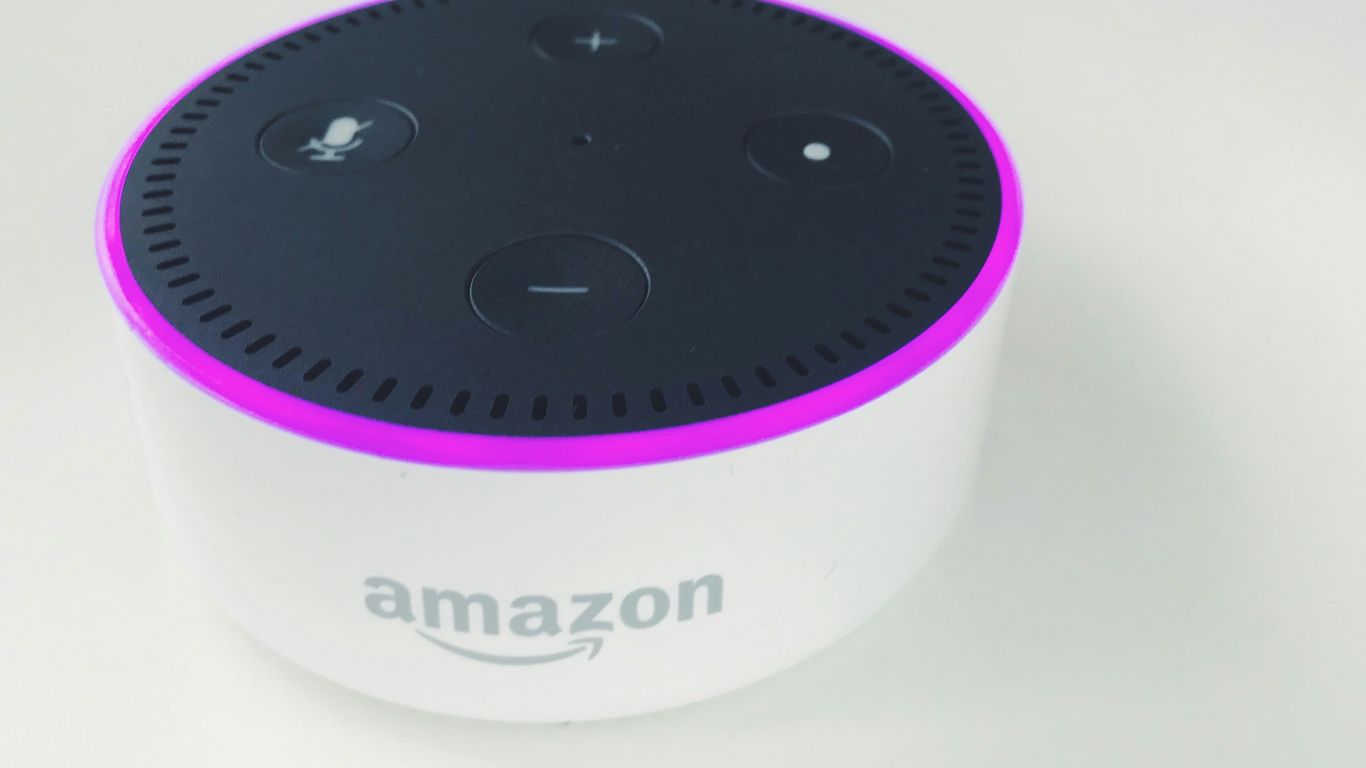
It feels like just yesterday we were amazed that Alexa could set a timer or tell us the weather. Now, things are getting seriously interesting. Amazon is pushing Alexa forward, making it less of a tool you command and more of a partner that understands you. This shift towards more intuitive interaction is changing how we think about smart assistants.
One of the biggest leaps is in how Alexa handles conversations. Thanks to advances in AI, Alexa is becoming much better at understanding what you mean, not just what you say. Think about it: instead of needing exact phrases, you’ll be able to talk more naturally. This means fewer "Sorry, I didn’t get that" moments and more actual help.
Here’s a glimpse of what’s coming:
- Smarter Conversations: Alexa will grasp context better, remember details from past chats, and handle more complex requests without you having to break them down.
- Anticipating Your Needs: Imagine Alexa adjusting the lights because you sound tired, or suggesting a calming playlist when it senses you’re stressed. It’s about Alexa acting before you even have to ask.
- Deeper Smart Home Connections: Alexa will work more closely with all your smart devices, making your home truly responsive to your lifestyle. This means things like automatically setting the mood for movie night or ensuring your home is secure when you leave.
Amazon is also working on features that go beyond basic home control. For instance, you might soon be able to ask Alexa to book appointments, manage travel plans, or even help with shopping in more sophisticated ways. It’s all about making Alexa a more integrated part of your daily life, handling more tasks with less input from you. This evolution is a big step for AI assistants.
While some of these advanced features might be part of premium services, the core idea is that Alexa will continue to get smarter and more helpful for everyone. It’s an exciting time to see how voice control will continue to shape our homes and lives.
Keep Exploring What Alexa Can Do
So, we’ve gone over a bunch of ways to get more out of your Alexa device. It’s pretty neat how much it can do, from simple stuff like setting timers to managing your whole smart home. Remember, the key is to be clear with your commands and to explore the routines feature – that’s where things get really convenient. Don’t be afraid to just ask Alexa what she can do; you might be surprised by all the handy skills and features you haven’t tried yet. Keep playing around with it, and you’ll find even more ways to make your daily life a little bit easier.




Prosecutors Say Jason Finkelstein Spent 11 Seconds Reviewing Cardiac Images Before Clearing a Teenage Athlete

Prosecutors Say Jason Finkelstein Spent 11 Seconds Reviewing Cardiac Images Before Clearing a Teenage Athlete
Prosecutors Say Jason Finkelstein Spent 11 Seconds Reviewing Cardiac Images Before Clearing a Teenage Athlete
Prosecutors Say Jason Finkelstein Spent 11 Seconds Reviewing Cardiac Images Before Clearing a Teenage Athlete

Prosecutors Say Jason Finkelstein Spent 11 Seconds Reviewing Cardiac Images Before Clearing a Teenage Athlete
Prosecutors Say Jason Finkelstein Spent 11 Seconds Reviewing Cardiac Images Before Clearing a Teenage Athlete

Prosecutors Say Jason Finkelstein Spent 11 Seconds Reviewing Cardiac Images Before Clearing a Teenage Athlete
Prosecutors Say Jason Finkelstein Spent 11 Seconds Reviewing Cardiac Images Before Clearing a Teenage Athlete
Prosecutors Say Jason Finkelstein Spent 11 Seconds Reviewing Cardiac Images Before Clearing a Teenage Athlete

Prosecutors Say Jason Finkelstein Spent 11 Seconds Reviewing Cardiac Images Before Clearing a Teenage Athlete
Prosecutors Say Jason Finkelstein Spent 11 Seconds Reviewing Cardiac Images Before Clearing a Teenage Athlete
Prosecutors Say Jason Finkelstein Spent 11 Seconds Reviewing Cardiac Images Before Clearing a Teenage Athlete
Prosecutors Say Jason Finkelstein Spent 11 Seconds Reviewing Cardiac Images Before Clearing a Teenage Athlete

Prosecutors Say Jason Finkelstein Spent 11 Seconds Reviewing Cardiac Images Before Clearing a Teenage Athlete
Prosecutors Say Jason Finkelstein Spent 11 Seconds Reviewing Cardiac Images Before Clearing a Teenage Athlete

-
Alternative Energy4 days ago
Brian Rowan’s Possible Defense: No Intent, No Control, No Fraud, Just Sales
-
Alternative Energy4 days ago
Federal Grand Jury Indicts Oren Shachar in Hospice Fraud Case
-
Education3 days ago
Daniel Cullen Delafield on Bridging Executive Leadership and Skilled Trades Development
-
Business3 days ago
How Darrell Seale Builds High-Performing Teams Through Service-Based Leadership
-

 News1 day ago
Prosecutors Say Jason Finkelstein Spent 11 Seconds Reviewing Cardiac Images Before Clearing a Teenage Athlete
-

 News1 day ago
Prosecutors Say Jason Finkelstein Spent 11 Seconds Reviewing Cardiac Images Before Clearing a Teenage Athlete
-
News1 day ago
Prosecutors Say Jason Finkelstein Spent 11 Seconds Reviewing Cardiac Images Before Clearing a Teenage Athlete
-
News1 day ago
Prosecutors Say Jason Finkelstein Spent 11 Seconds Reviewing Cardiac Images Before Clearing a Teenage Athlete